Case study
Tennisgram: a social app for tennis players
Around the game a tennis player needs several things at once: contact with other players, a way to arrange matches and a court booking. For Tennisgram we designed a social app for tennis players and a web panel for sports venues. The design phase took 12 weeks in two-week iterations.
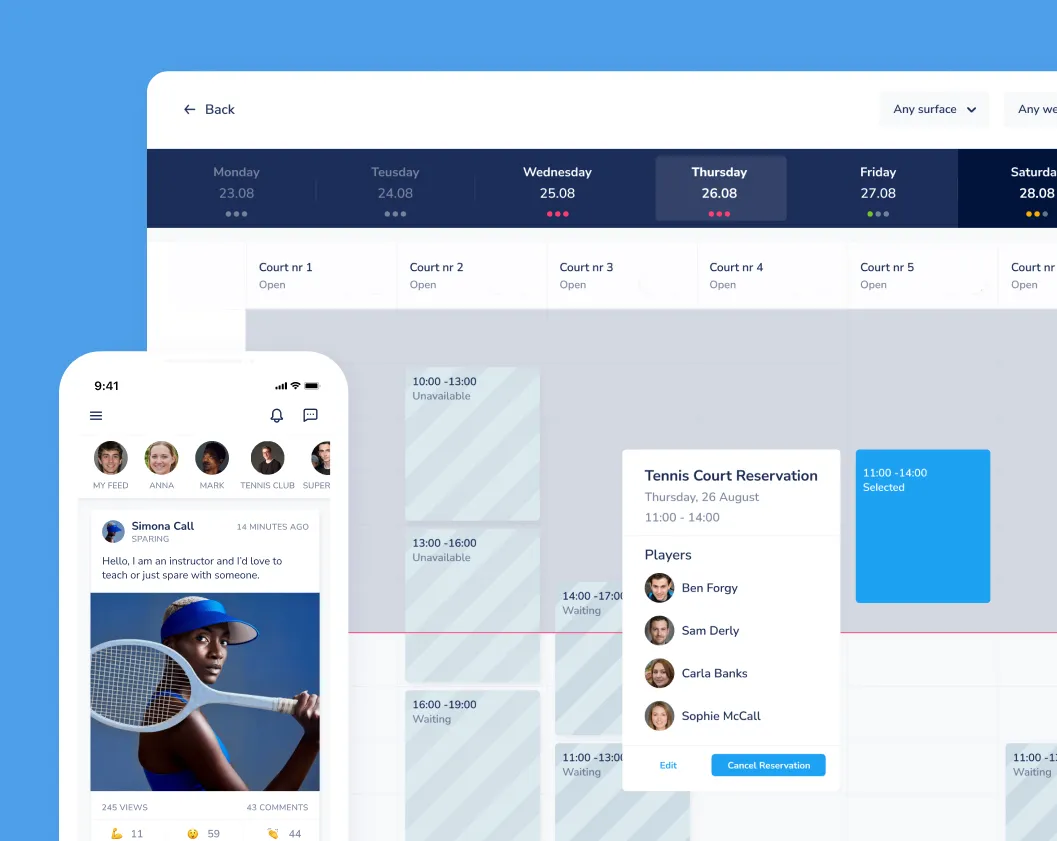
For Tennisgram we designed an app where players publish posts, photos and videos, arrange matches, enter scores, rate each other and book courts. Sports venues got a web interface for managing courts and bookings.
Scope of work
- Industry
- Sport and fitness
- Product type
- Mobile app and web panel
- Market
- Sport / tennis
Technologies
-
 Flutter
 - Product discovery
- Product Management
 Flutter
Key facts
- Workshops and needs analysis at the start of the project
- Wireframes and prototypes tested by internal users
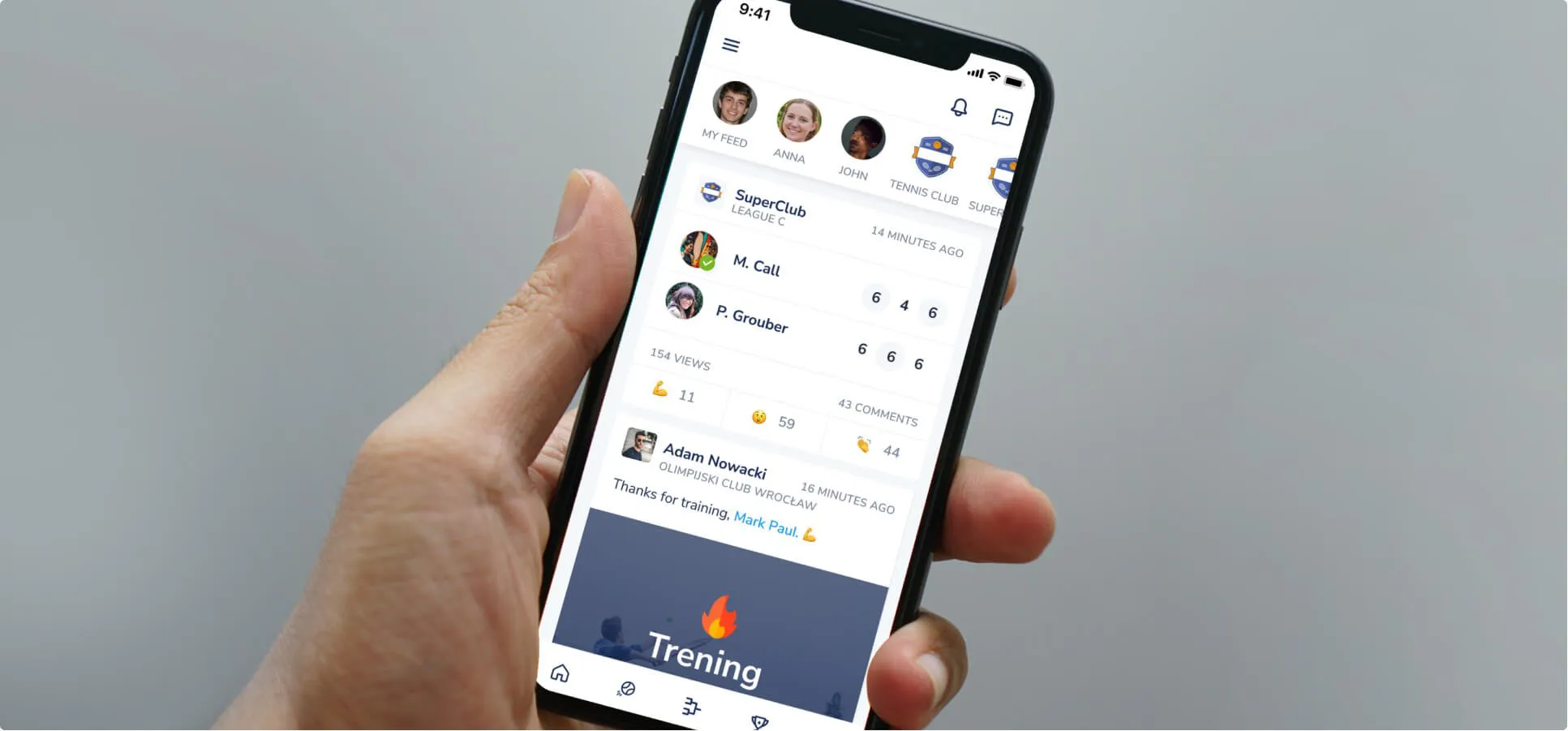
- Posts, photos and videos in a social feed
- Match scheduling, scores and peer ratings
- Court booking with online payment
- Reception panel for sports venues in Flutter
One app for playing tennis: from arranging a match and booking a court to the score and rating of your opponent.
Goals
01
A tennis community
Give players a place for posts, photos and videos, and a way to connect with other tennis enthusiasts.
02
Less organising, more playing
Arranging matches, entering scores and booking a court without phone calls or trips to the venue.
03
Building skills
Peer ratings after each match and score comparisons that help players improve their game.
Process
What we delivered
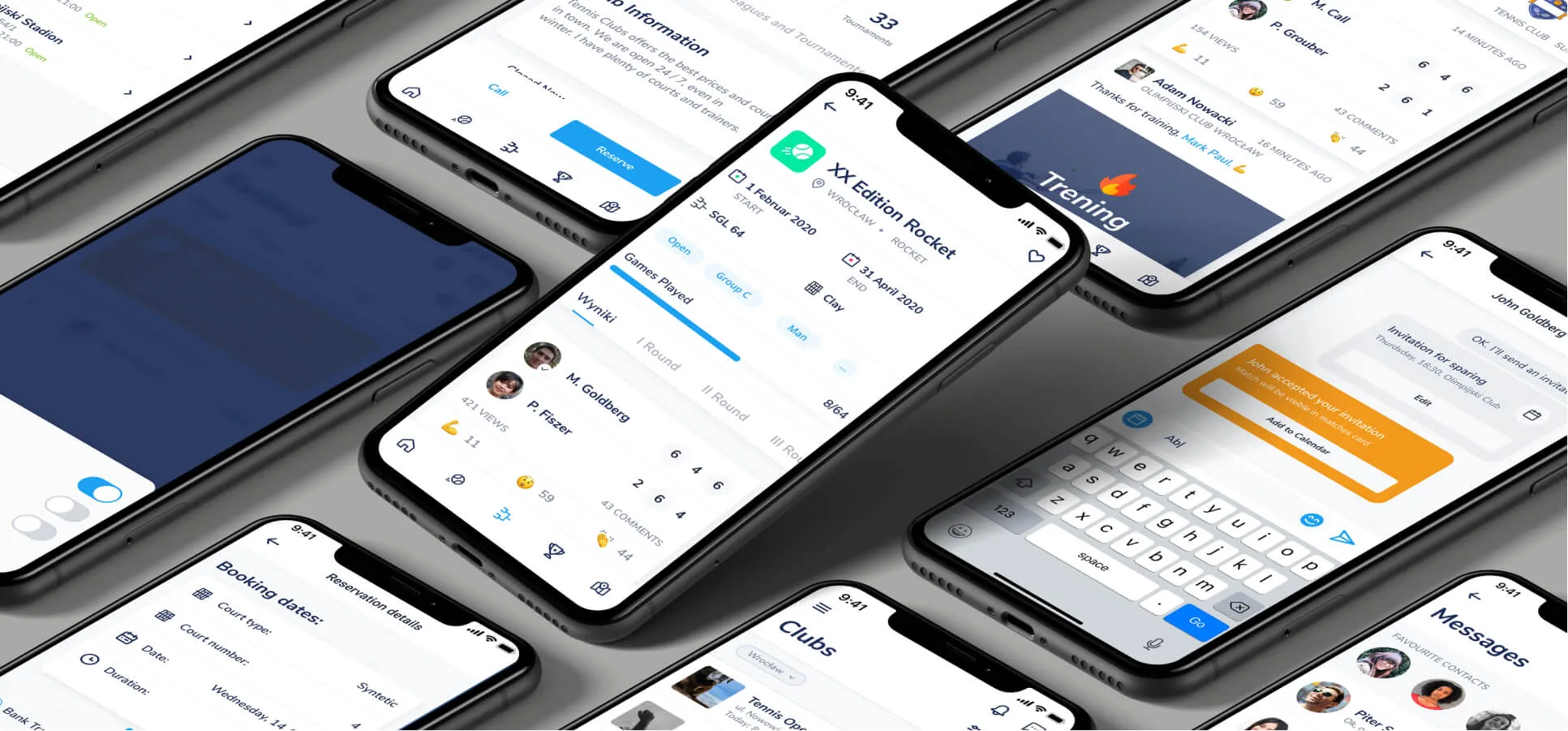
An app that combines a player community with match organisation and court booking.
- Social feed - posts, photos and videos added by players.
- Matches and scores - scheduling games, entering scores and comparing them with other players.
- Post-match ratings - players rate each other and leave detailed feedback.
- Court booking - choosing a time and court, and paying online in the app.
- Communication - in-app chat, automatic match scheduling, push notifications and emails.
- Reception for venues - a web interface for managing courts, availability and bookings.
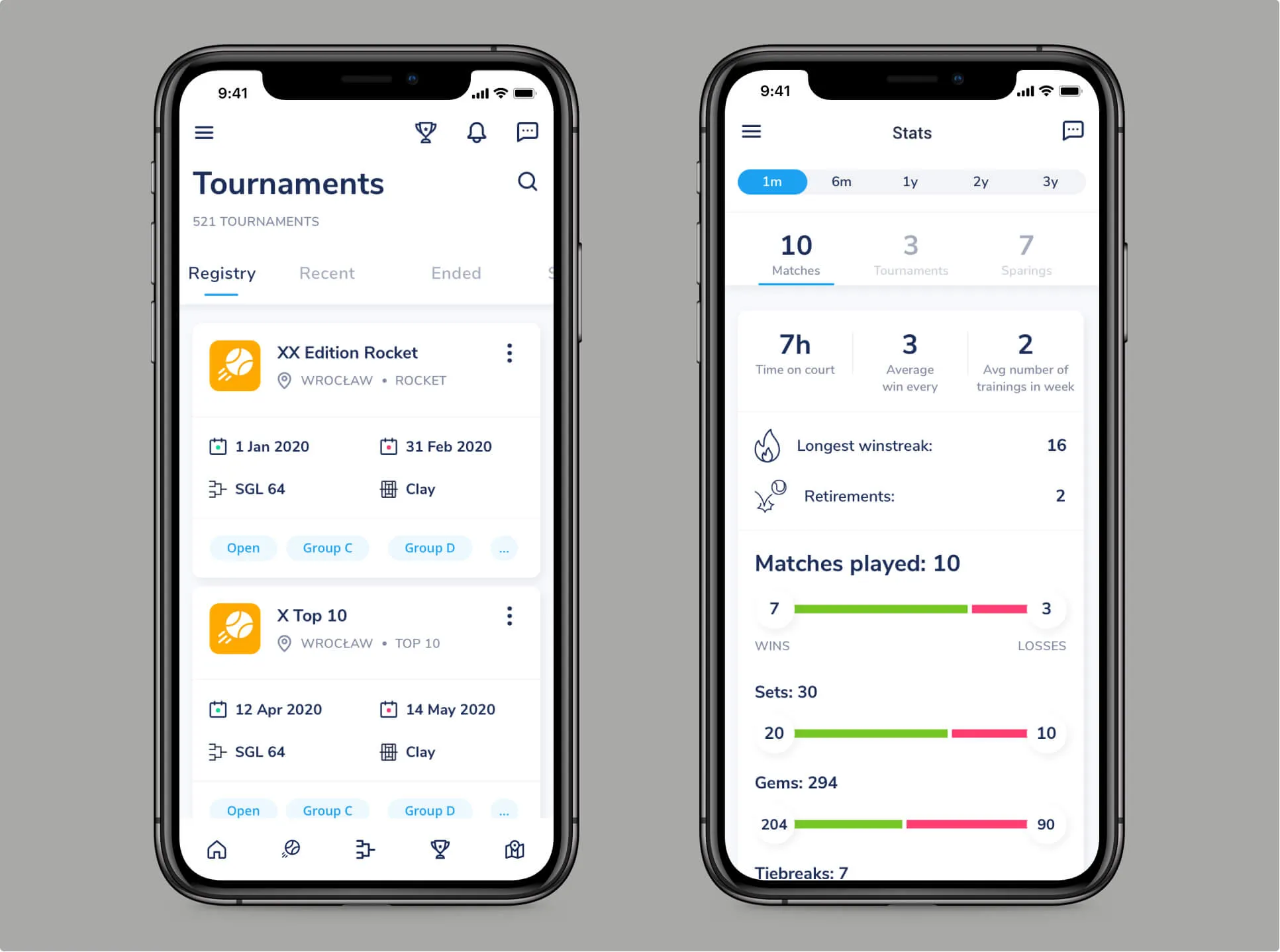
Solution: matches, scores, ratings and court booking
Tennisgram brings together everything a tennis player needs around the game: contact with other players, match organisation and court booking.
Scores and ratings
After every match, players rate each other and give detailed feedback. Scores can be compared with other players, including those at a lower skill level, which supports learning and improving their game.
Court booking
Instead of phoning or travelling to the venue, the user picks a convenient time and court, pays online and gets ready to play.
Chat and communication
Players message each other, agree match times and enter scores. Push notifications and emails keep them up to date with what's happening.
Colour palette
Primary United Blue #4D9FEA conveys professionalism and trust, while secondary Space Cadet #1B2D58 adds elegance. Semantic colours, red and green, organise messages and build a consistent visual language.
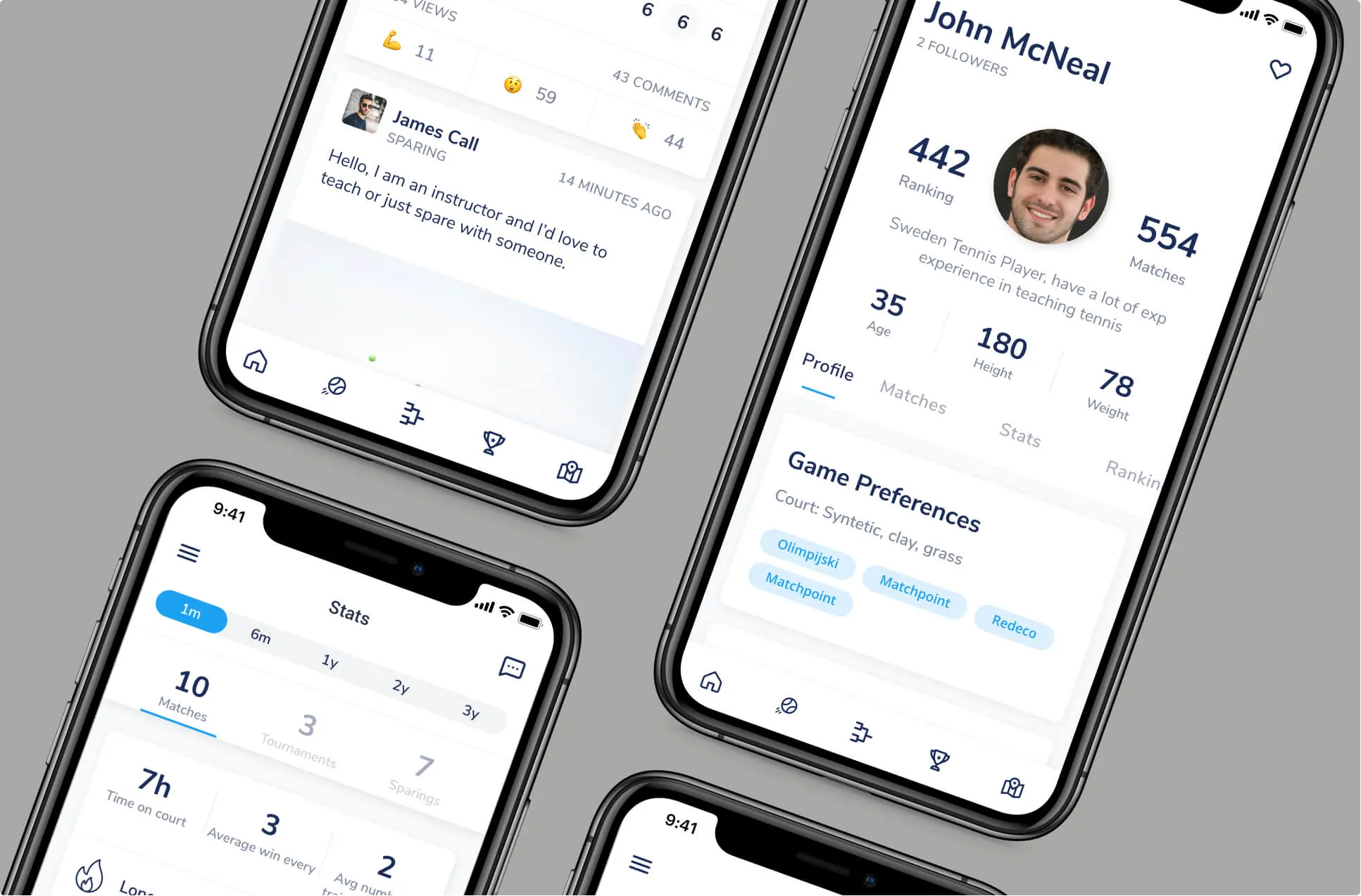

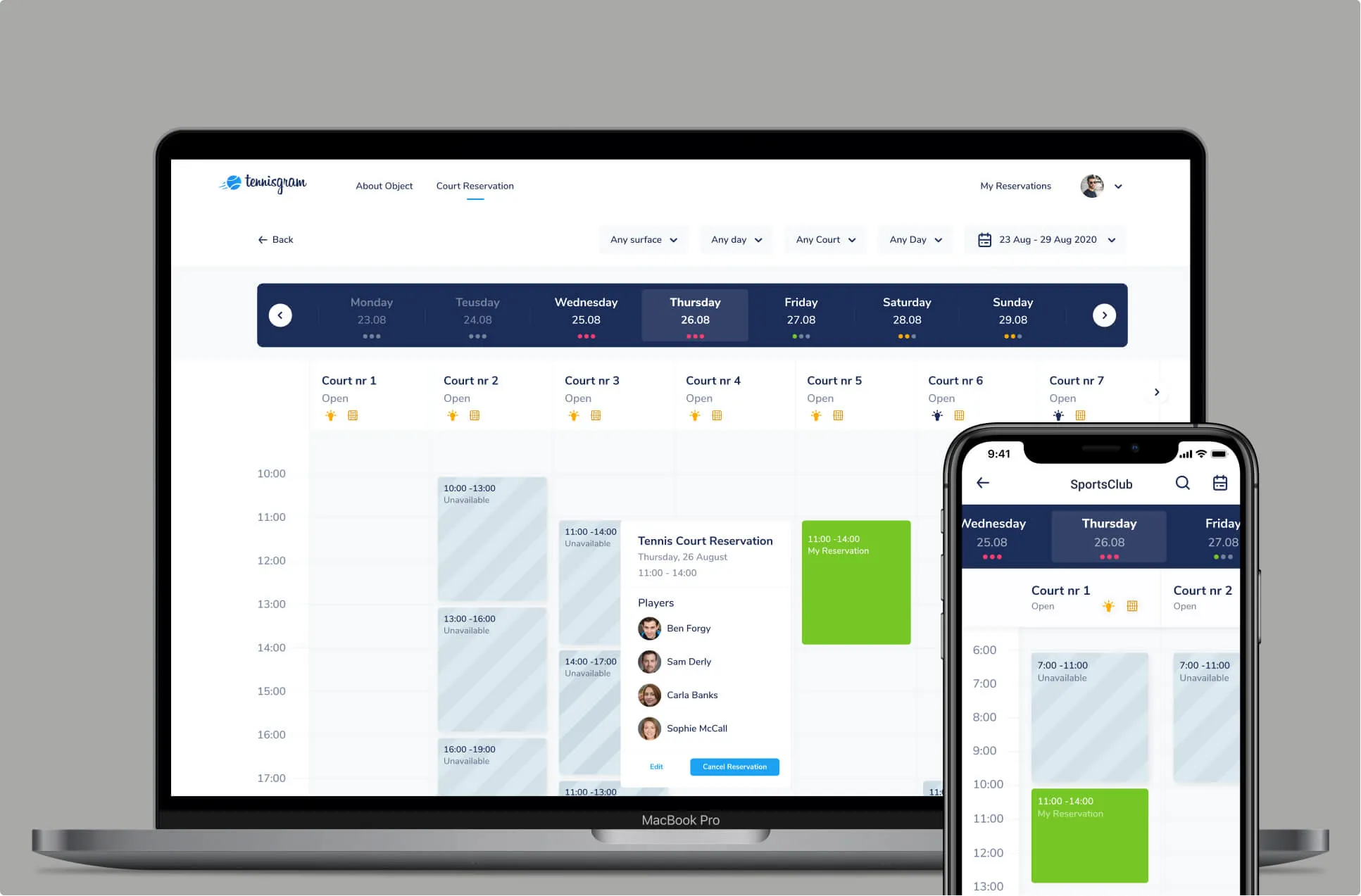
A reception panel for sports venues
To make bookings work on both sides, we also designed a web interface for sports venues.
We focused on the needs of venue managers and their guests. The Flutter-based solution lets court owners manage their venue and track availability and bookings in real time.
An in-app booking only makes sense if the venue sees it straight away.
Written by Radosław Kołacki Published Updated
An app for a sports community?
We start with a workshop to work out what players and venues need to get done in the app.


Blog
Learn from our experts
Practical articles on researching, designing and delivering digital products.
 Mobile apps
Custom mobile app: stages from diagnosis to development
A custom mobile app project has four phases: diagnosis, design, development and optimisation. We describe the decision made in each and what remains afterwards.
12 Jan 2025 · Radosław Kołacki
Read more
Mobile apps
Custom mobile app: stages from diagnosis to development
A custom mobile app project has four phases: diagnosis, design, development and optimisation. We describe the decision made in each and what remains afterwards.
12 Jan 2025 · Radosław Kołacki
Read more
-
 Mobile apps
How much does it cost to build a mobile app?
17 Jul 2024 · Radosław Kołacki
Mobile apps
How much does it cost to build a mobile app?
17 Jul 2024 · Radosław Kołacki
-
 Business
Event Storming: what it is and how to run a workshop
15 Jul 2024 · Radosław Kołacki
Business
Event Storming: what it is and how to run a workshop
15 Jul 2024 · Radosław Kołacki
-
Business and UX metrics
Engagement rate in a SaaS product: how to calculate it, with 2 examples
13 Dec 2023 · Radosław Kołacki