
Case study
Pompy.app: a heat load calculator with heat pump selection
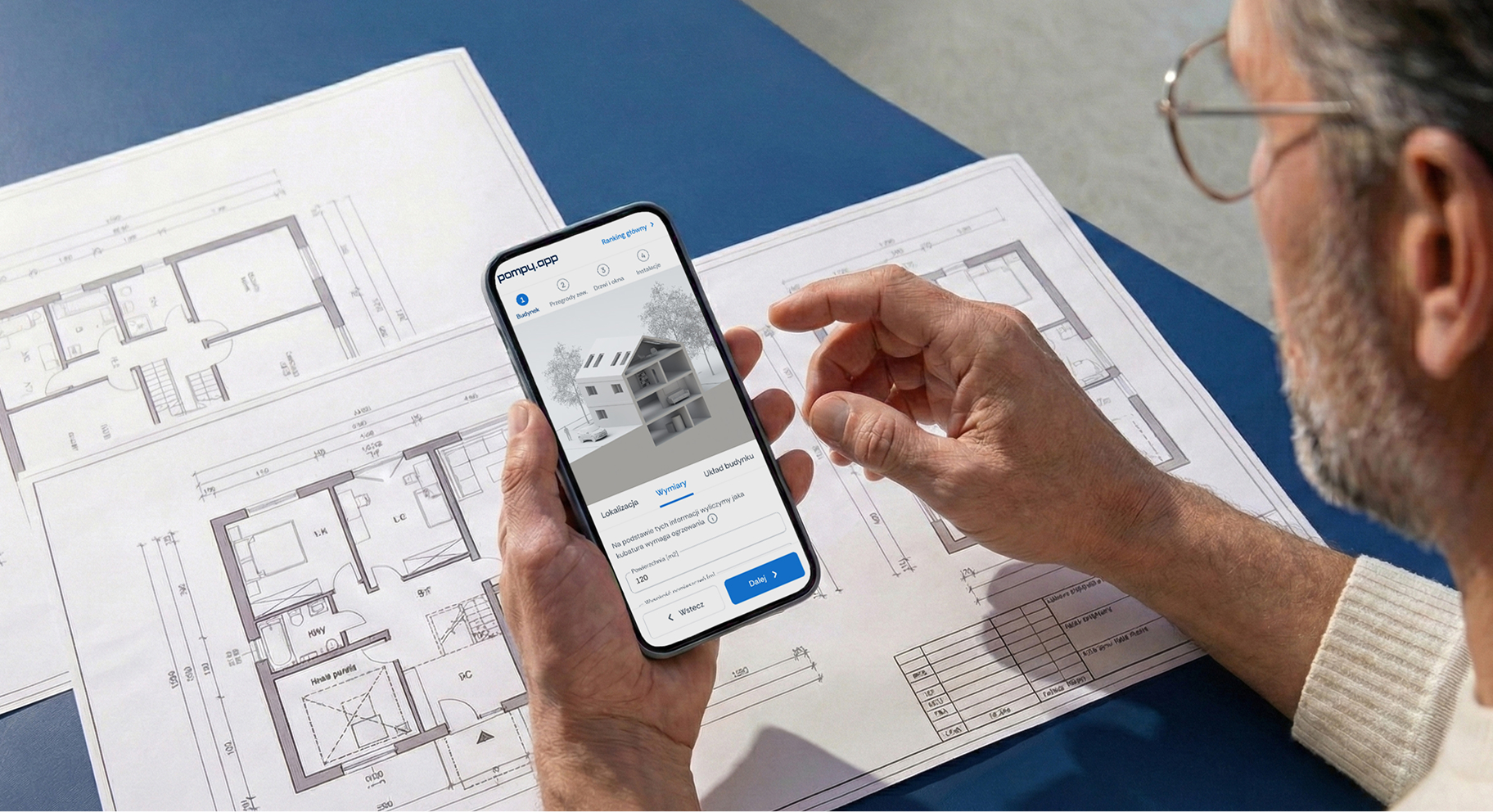
Calculating heat demand takes data users often do not have, so forms get abandoned. For the Pompy.app portal we designed and built a heat load calculator: a short path with 3D visuals that ends with a result and a list of recommended heat pumps.
5
steps from building data to the result
30
3D visualisations of the building and its systems
500
heat pumps the calculator selects models from
We designed and built a heat load calculator (OZC) for the Pompy.app portal. It simplifies one of the hardest stages of choosing a heat pump: turning building data into heat demand, and then into a choice of equipment.
Scope of work
- Industry
- E-commerce and retail
- Product type
- Product calculator and configurator
- Market
- HVAC / heat pumps
- Year
- 2024-2026
Technologies
- Headless CMS
- Kalkulatory i konfiguratory produktów
- Product Design
- Web
Key facts
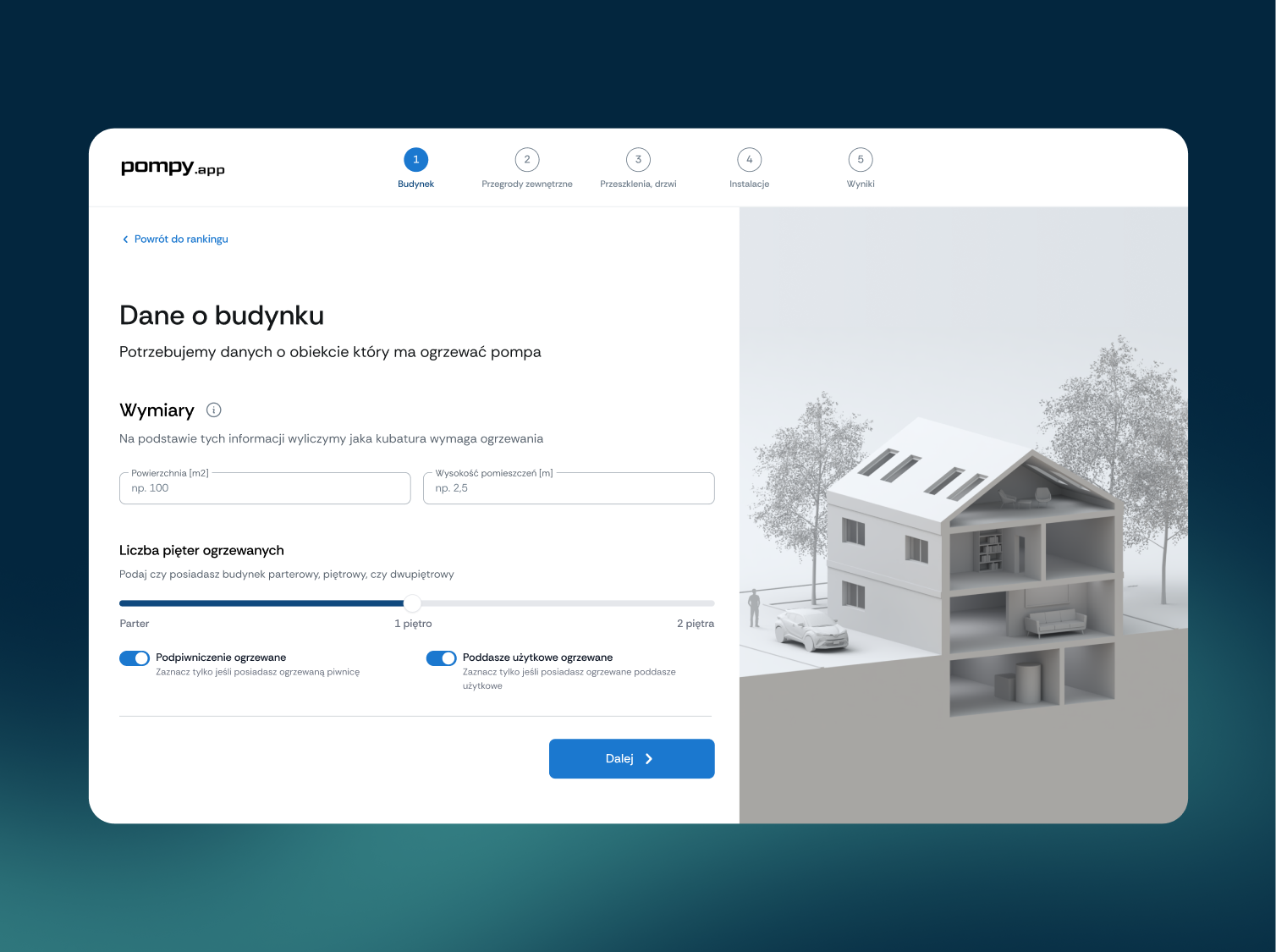
- Step-by-step process: building, external walls and roof, glazing, systems
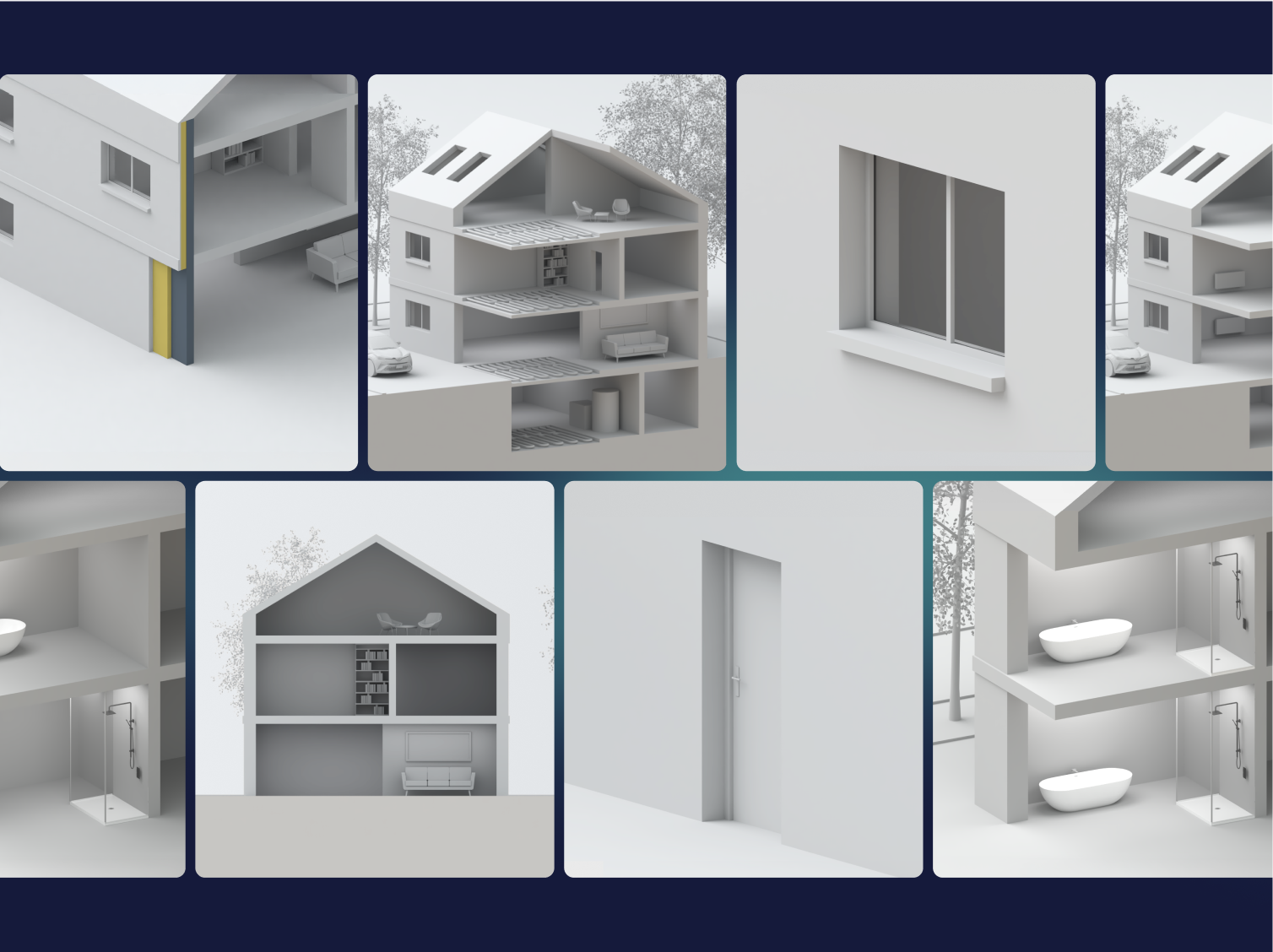
- A dedicated set of 3D visualisations of the building and its systems
- Result: heat demand and a list of recommended heat pumps
- Clickable prototype tested before launch
- A journey designed with mobile devices in mind
We turned a difficult calculation into a short journey that ends with an answer to what's next.
Goals
01
An approachable process
Collect data users don't usually know off the top of their head, in short steps with hints.
02
A reliable result
Structure the data so it can be used to match heating solutions accurately.
03
Easy on a phone
A short, predictable journey with a clear sense of progress and the option to correct data.
Process
What we delivered
A tool that takes users from input data to a specific choice they can understand.
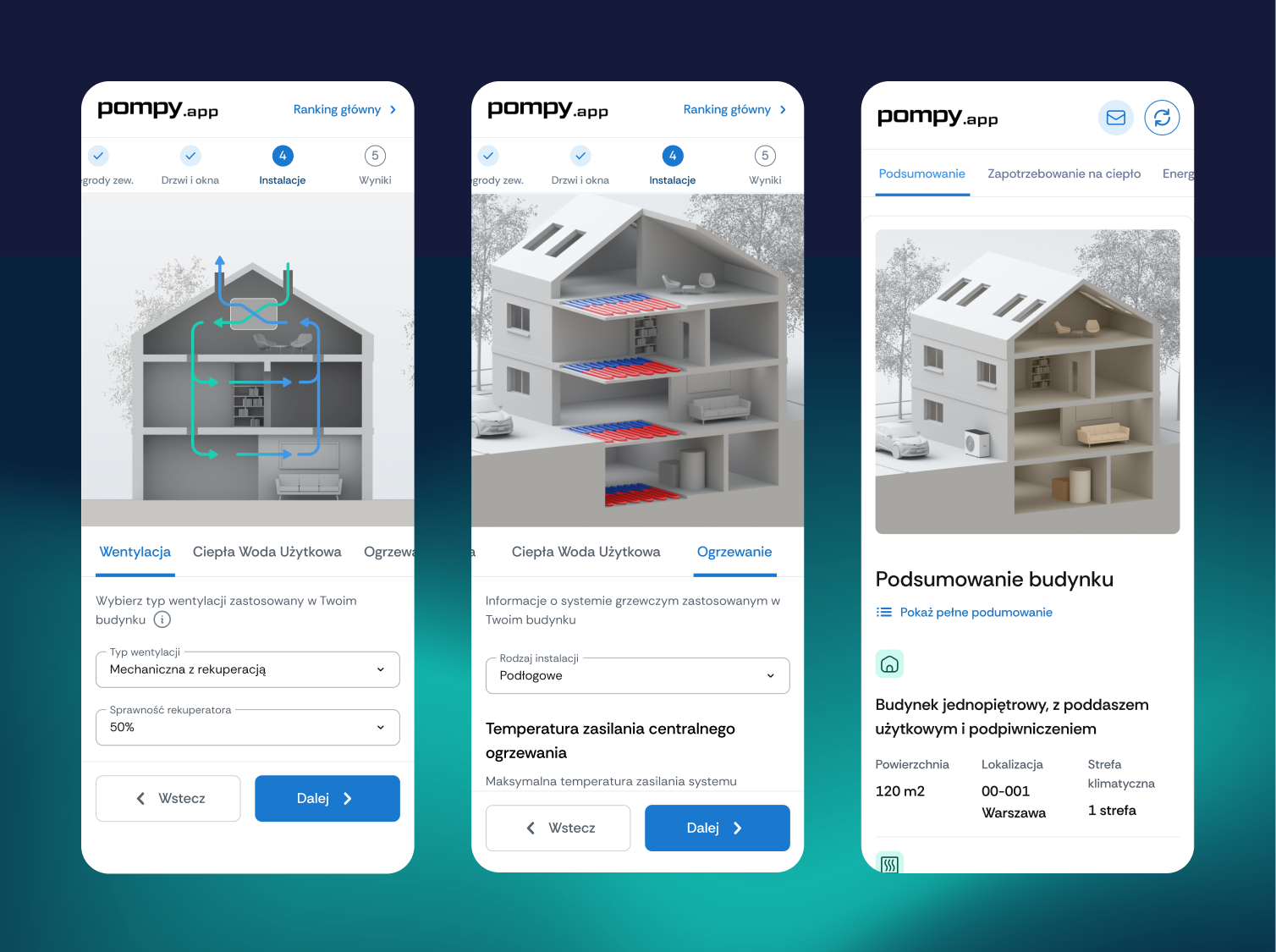
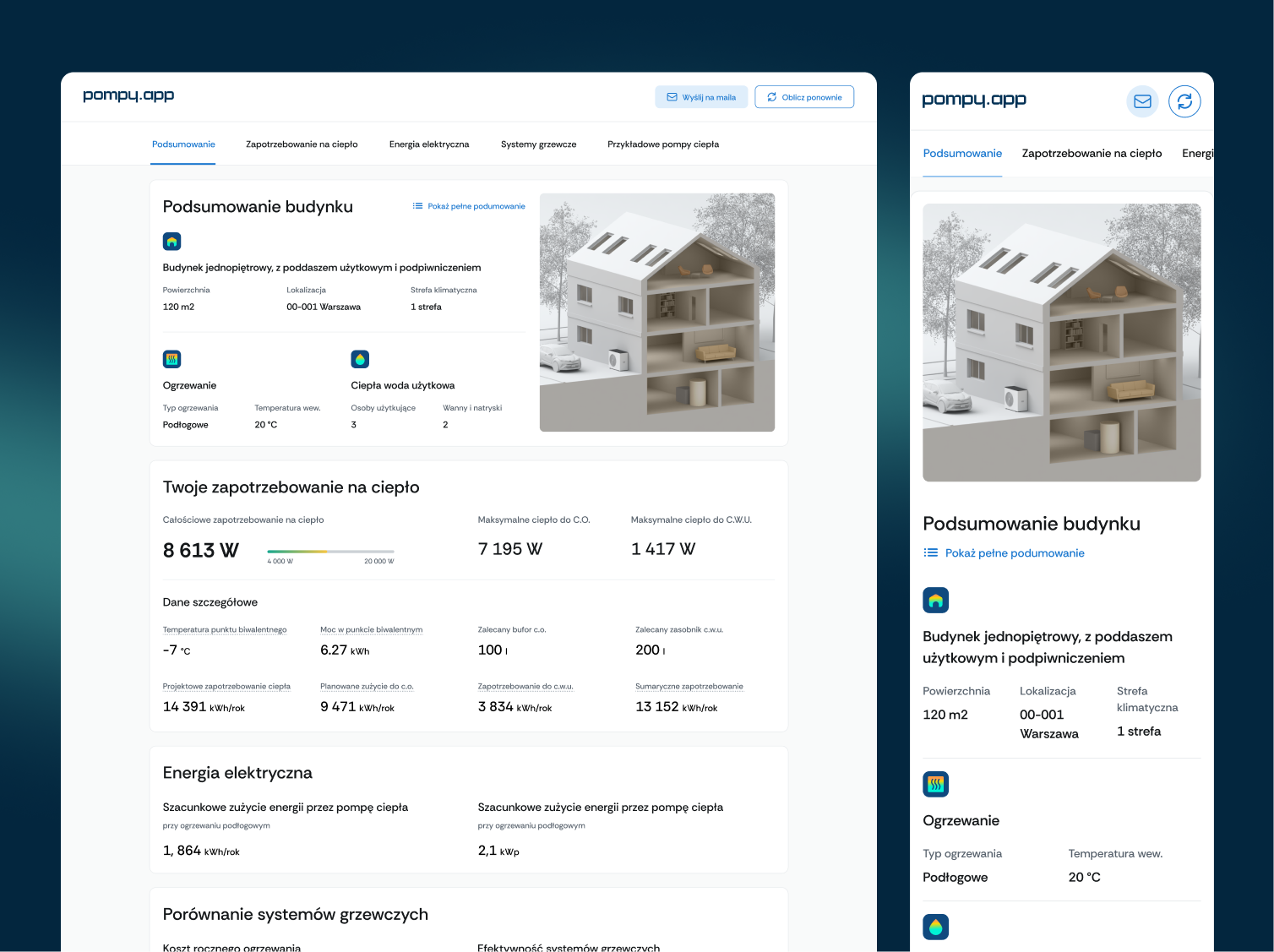
- Multi-step journey - successive steps cover the building, external walls and roof, glazing and systems.
- 3D visualisations - simplified, neutral renders that show which part of the building each step refers to.
- Summary and result - an overview of the building data and the calculated heat demand.
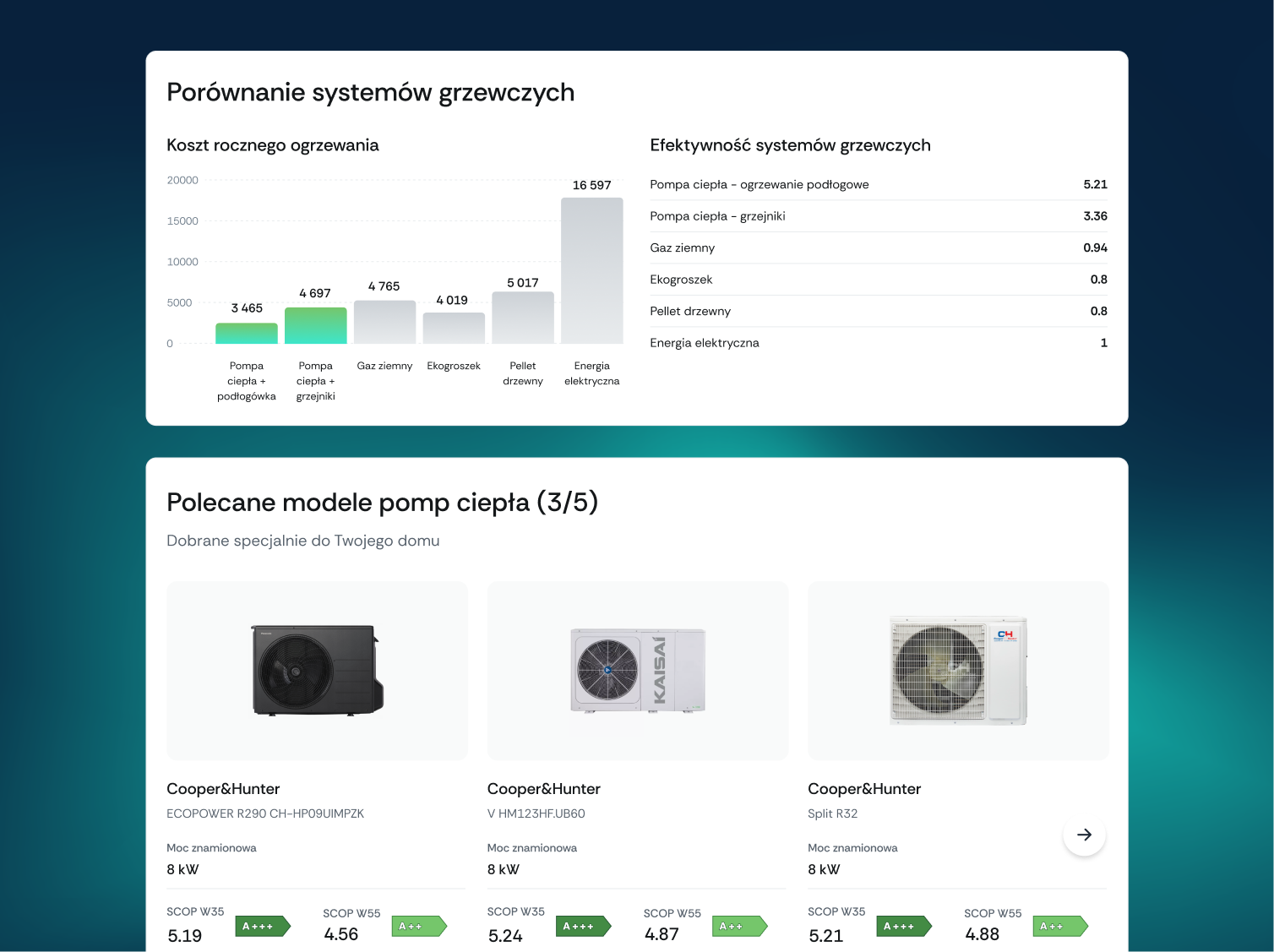
- Equipment recommendation - a list of heat pumps matched to the data and assumptions entered.
- Clickable prototype - a test version we used to refine the journey before launch.
Challenge: data that users often do not have
A heat load calculation needs data that users often don't know, and they don't always understand why it matters. Language that's too technical, or too many fields in one place, ends with the form being abandoned.
At the same time, the result had to be structured enough to base an equipment choice on. The second challenge was ease of use on a phone: a short, predictable process with the option to go back and correct data.
In practice, decisions to buy a heat pump are often made on the basis of simplifications or incomplete information.
Solution: short steps, hints and 3D visuals
The calculator is a clear, multi-step journey. Each step asks only a few questions, and hints explain what the data being entered means.
3D visualisations help users see the parameters in practice: the number of storeys, a habitable attic or the specifics of the heating system. Their style is deliberately simplified, so they suit different building types and don't distract from the decision.
Prototype before development
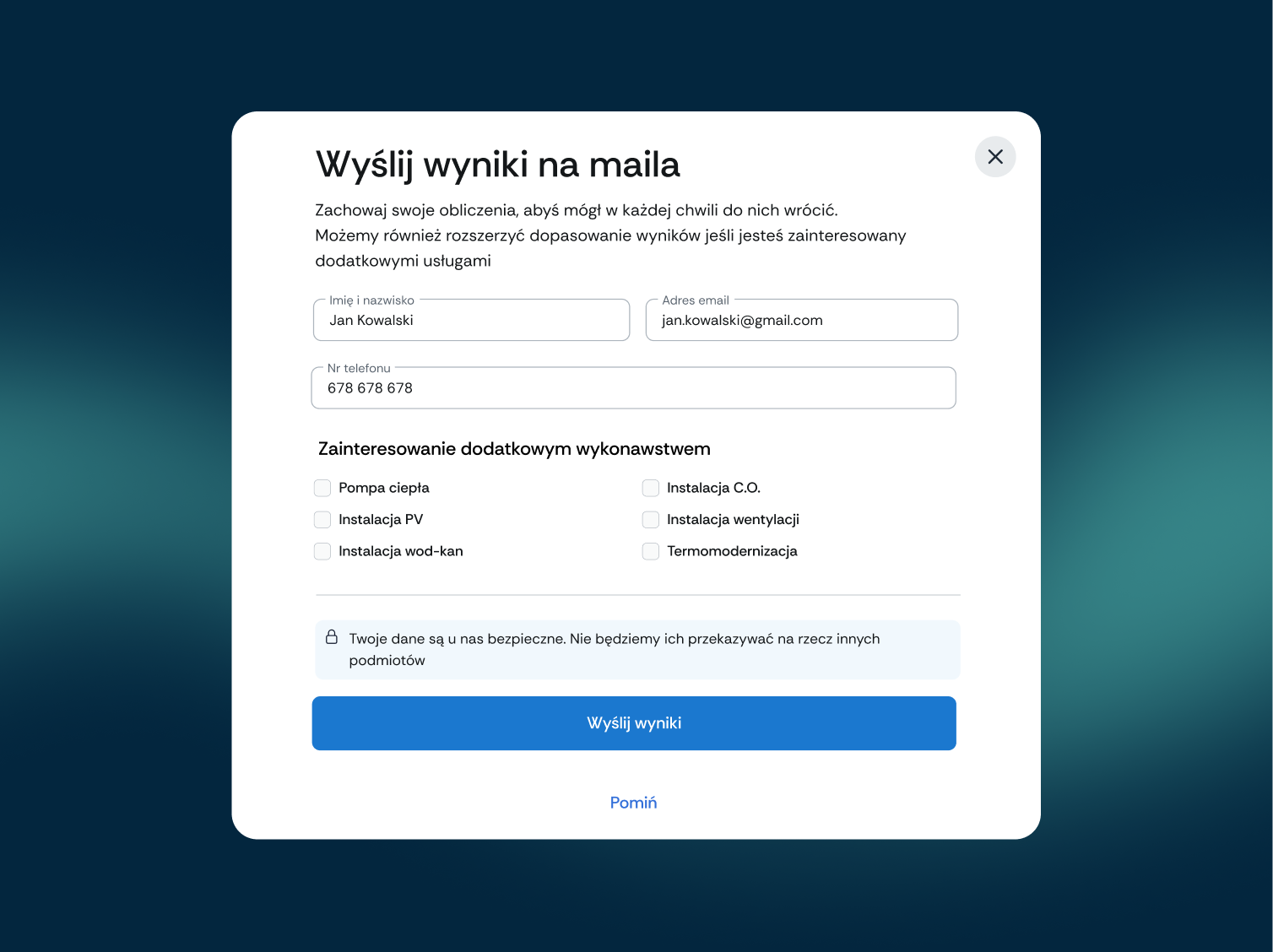
In parallel, we built a clickable prototype. It let us test the step logic, the order of questions and how the result is presented, and spot where users might get stuck, before the final version of the tool was built.
Results: from a calculation to a list of heat pumps
The calculator solves an information problem and a decision problem at once: it helps collect the right data and translates the result into specific equipment.
Users aren't left with just a number. They get a list of heat pumps matched to their building, which shortens the path from interest to choosing a solution. Thanks to working on a prototype, the journey was refined before launch.
Written by Radosław Kołacki Published Updated
Clients need to calculate something before they buy?
We start every calculator or configurator with a prototype you can test with users.


Blog
Learn from our experts
Practical articles on researching, designing and delivering digital products.
 Mobile apps
Custom mobile app: stages from diagnosis to development
A custom mobile app project has four phases: diagnosis, design, development and optimisation. We describe the decision made in each and what remains afterwards.
12 Jan 2025 · Radosław Kołacki
Read more
Mobile apps
Custom mobile app: stages from diagnosis to development
A custom mobile app project has four phases: diagnosis, design, development and optimisation. We describe the decision made in each and what remains afterwards.
12 Jan 2025 · Radosław Kołacki
Read more
-
 Mobile apps
How much does it cost to build a mobile app?
17 Jul 2024 · Radosław Kołacki
Mobile apps
How much does it cost to build a mobile app?
17 Jul 2024 · Radosław Kołacki
-
 Business
Event Storming: what it is and how to run a workshop
15 Jul 2024 · Radosław Kołacki
Business
Event Storming: what it is and how to run a workshop
15 Jul 2024 · Radosław Kołacki
-
Business and UX metrics
Engagement rate in a SaaS product: how to calculate it, with 2 examples
13 Dec 2023 · Radosław Kołacki