Case study
Tropokolagen.pl: an AI assistant on a medical brand website
The Tropokolagen.pl range is complex and product information was scattered across the site. We deployed a website AI assistant that answers questions from the brand's own knowledge, points to the right pages and passes enquiries to the team.
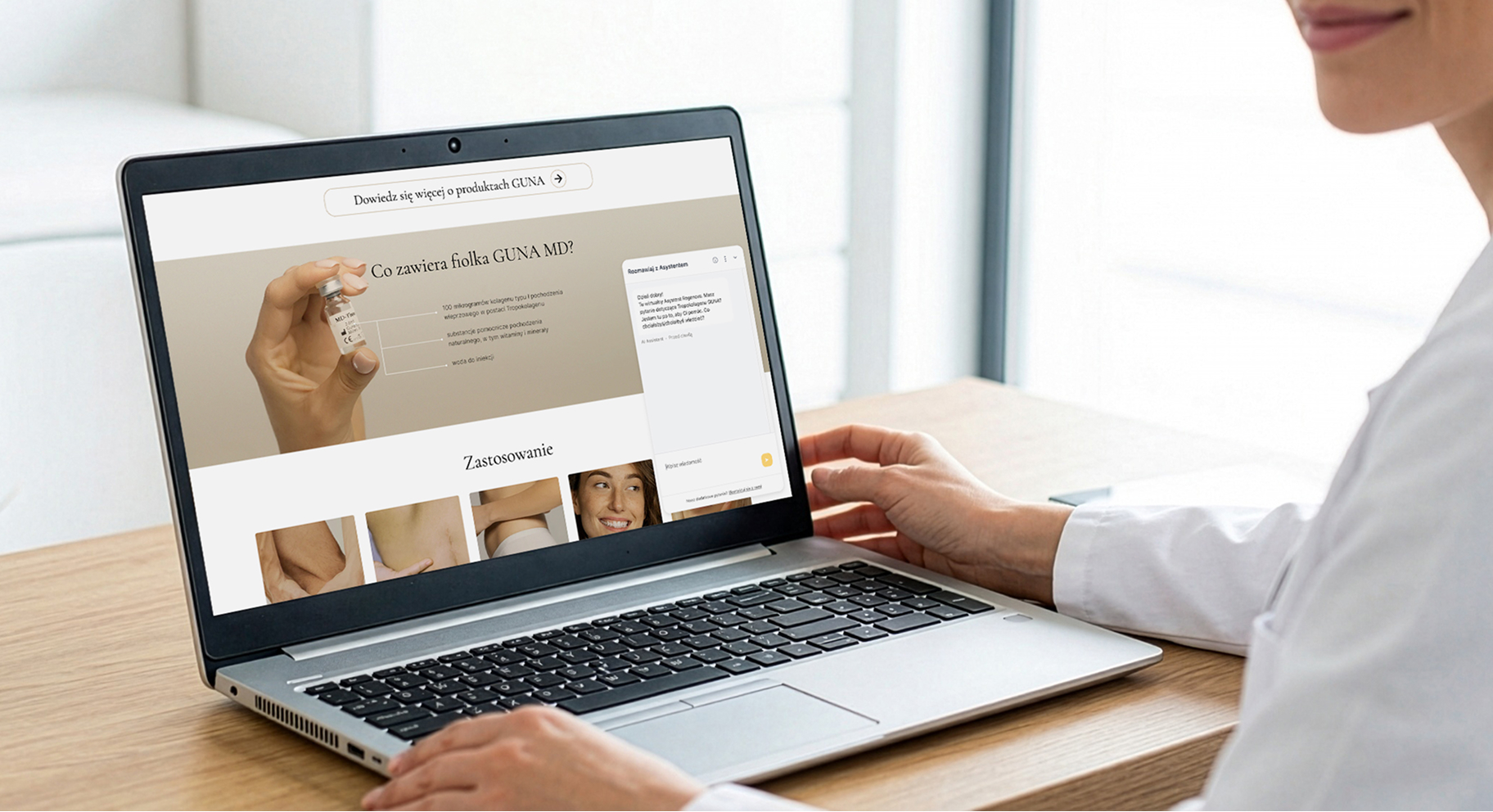
For Tropokolagen.pl we deployed an assistant built on Prose Captain, our AI assistant platform. The chat became the first point of contact: it explains a complex offering, points to the right pages and passes enquiries from interested customers to the team.
Scope of work
- Industry
- Healthcare
- Product type
- Website AI assistant
- Market
- Healthcare products
- Year
- 2023 - w trakcie
Technologies
- Headless CMS
-
 Node.js
 - Product Design
- Sztuczna Inteligencja - AI
 Node.js
Key facts
- Answers grounded in the brand's documents and materials (RAG)
- The assistant takes into account the page the user is viewing
- Site navigation based on the sitemap
- A start screen with questions managed from the dashboard
- A contact form suggested during the conversation
- A dashboard with sessions, answer accuracy, sentiment and topics
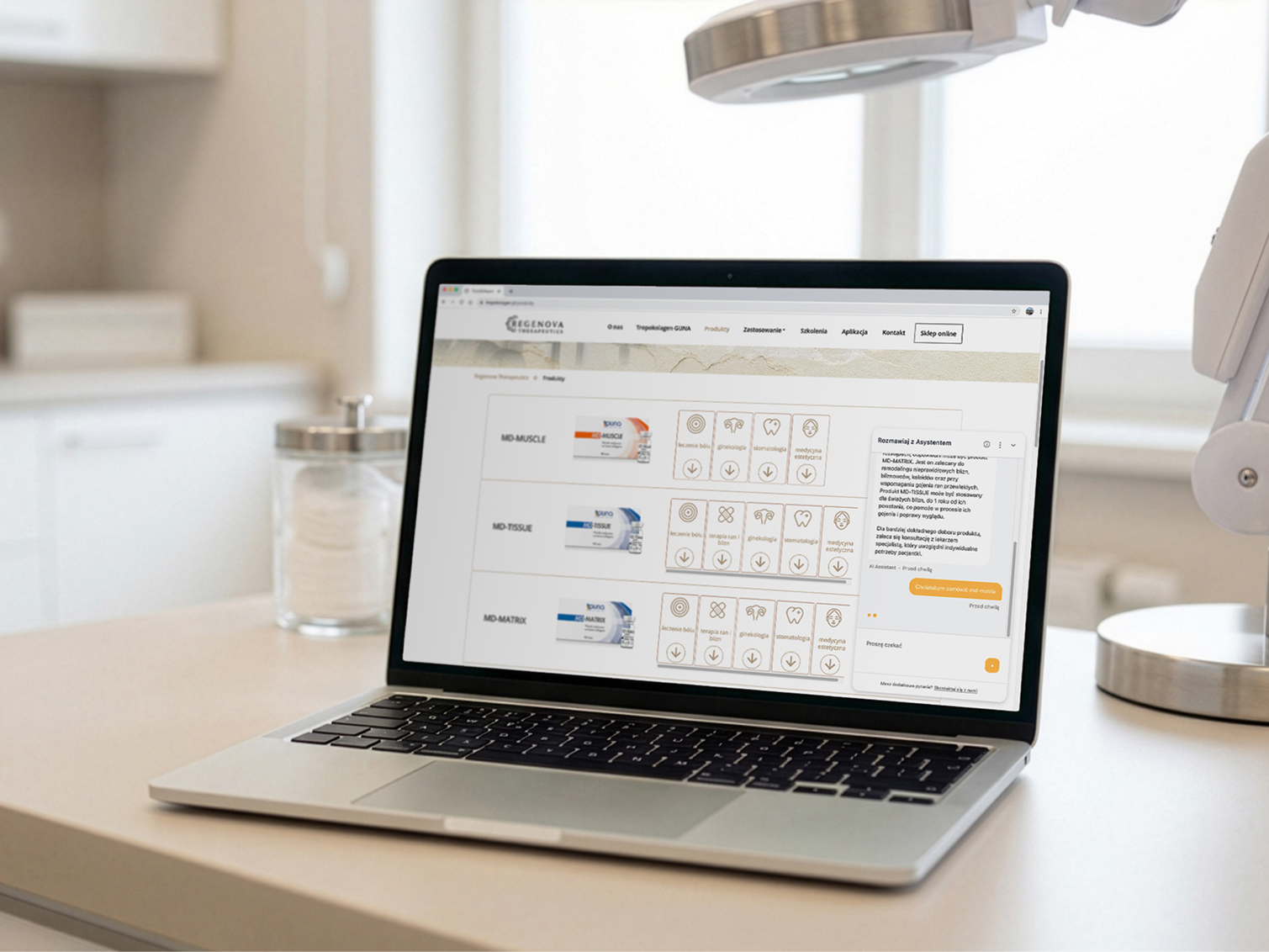
A chat that knows the offering: it explains complex products, guides users around the site and ends the conversation with an enquiry.
Goals
01
An offering that's easy to understand
Help customers quickly understand the differences between product variants, how they work and what they're for.
02
A shorter path to a decision
Replace searching through the site with a question asked naturally and an answer that points to the right page.
03
Enquiries from conversations
Make the chat a channel for generating enquiries, not just an information widget.
Process
What we delivered
A configured assistant, together with a knowledge base, a contact path and a dashboard for the team.
- Chat widget - an assistant built on Prose Captain, embedded in the Tropokolagen.pl site.
- Knowledge base - the brand's documents and materials as the basis for answers consistent with the company's official messaging.
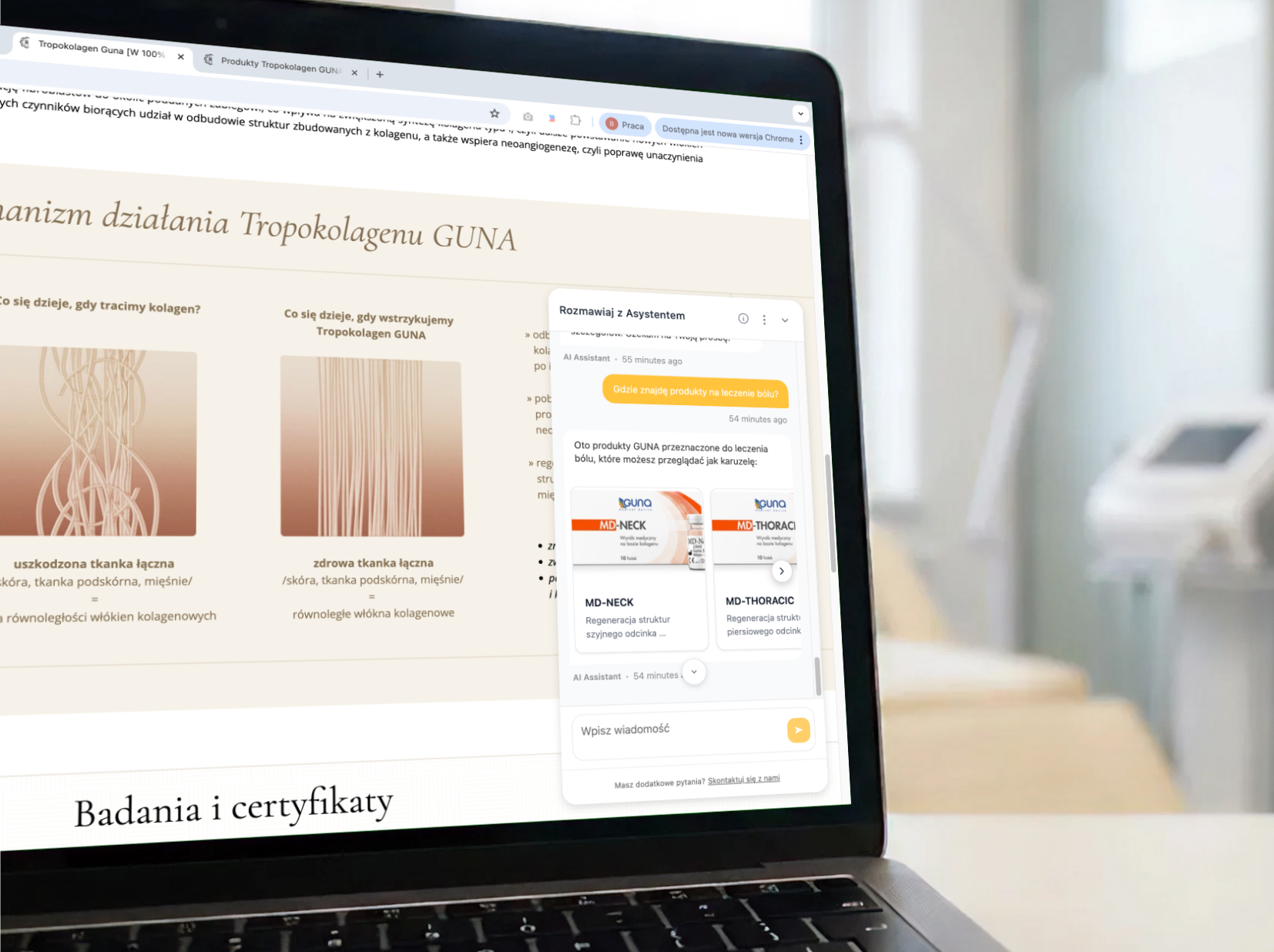
- Contextual logic - answers linked to the page the user is on, and navigation across the site structure.
- Start screen - FAQ questions managed from the dashboard and adjusted to campaigns, the season or the most common queries.
- Contact path - detecting contact intent, a form with a phone number or email address, and notifying the team of the enquiry.
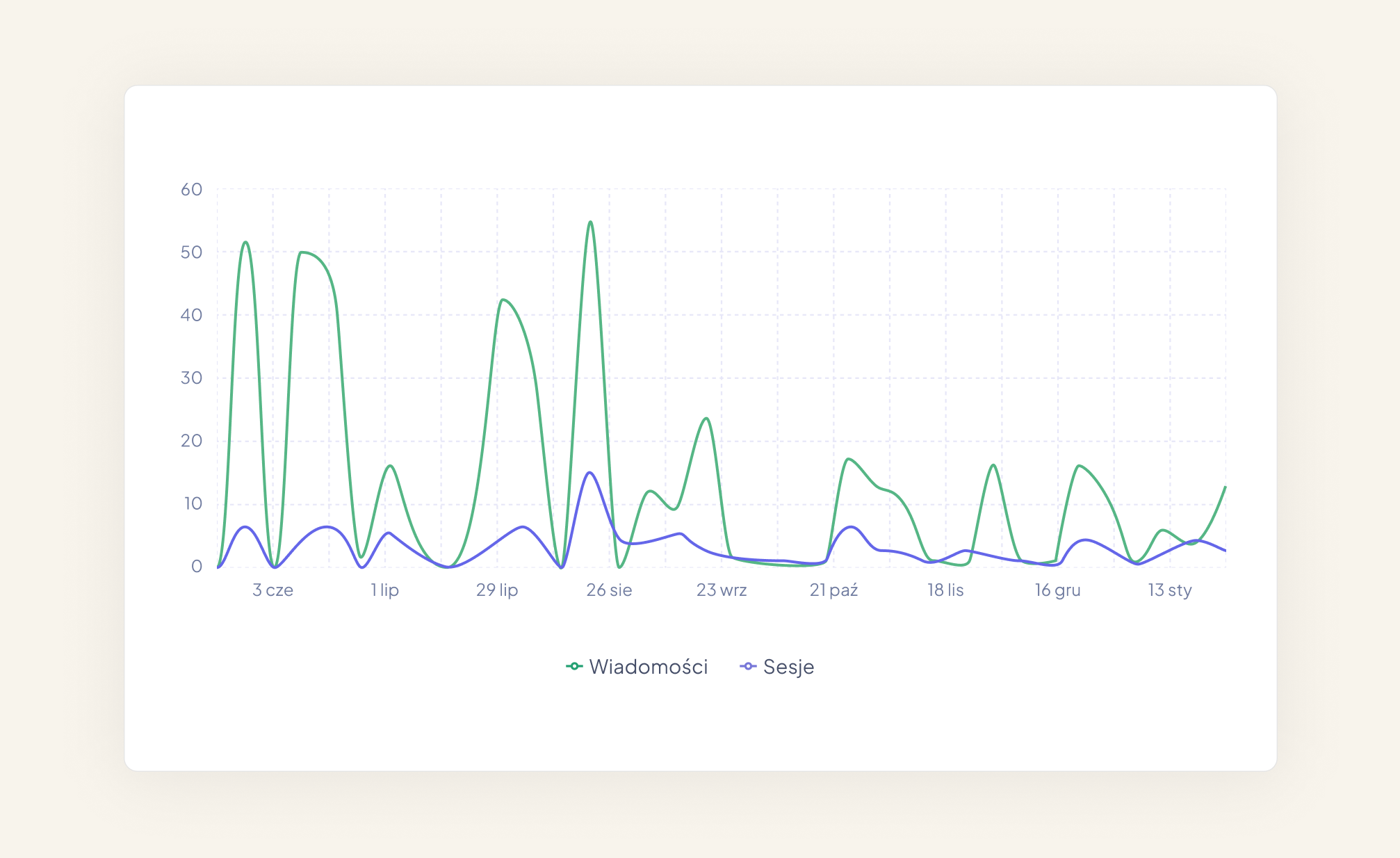
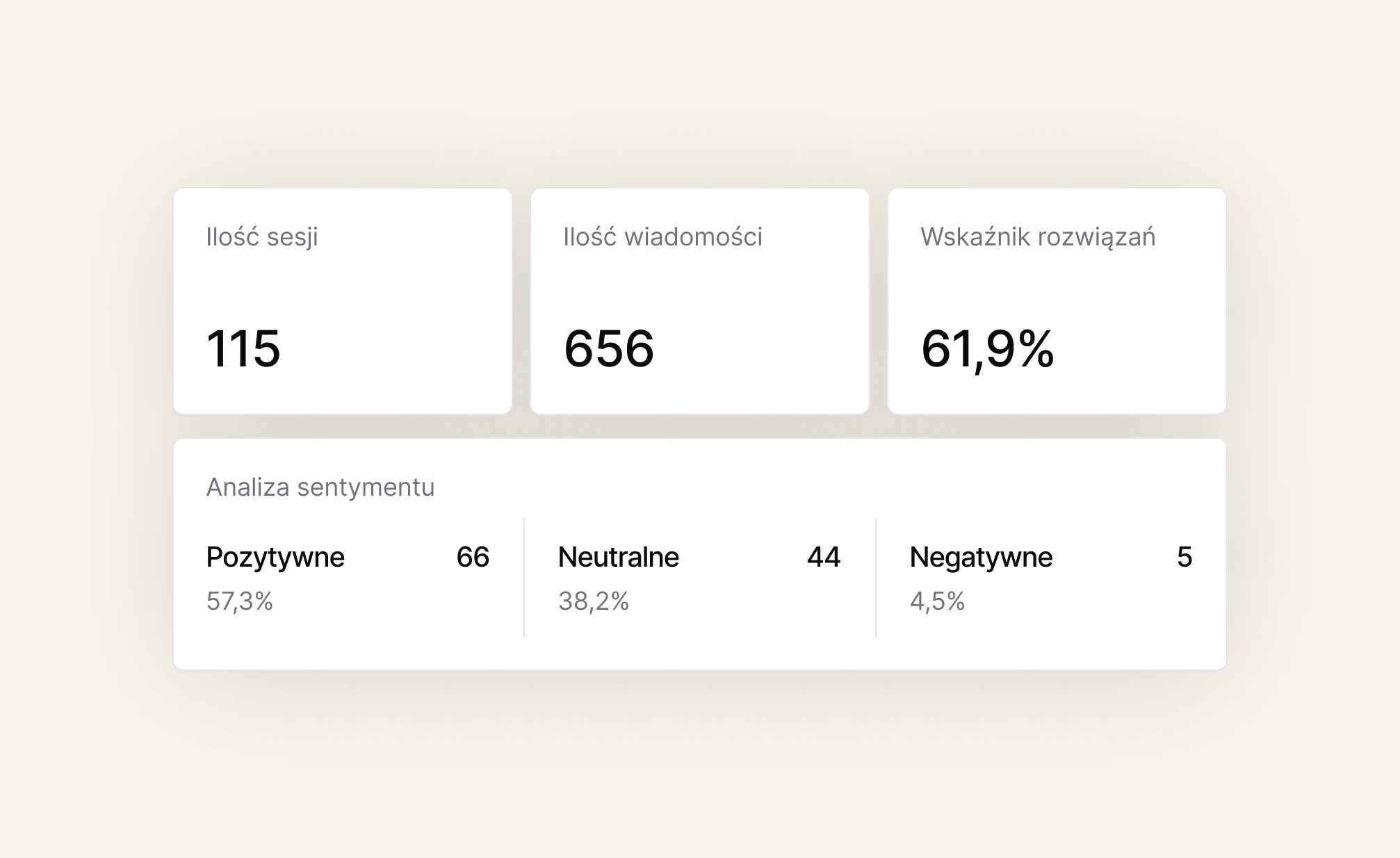
- Dashboard - number of sessions and messages, answer accuracy, sentiment, top topics and the moments users move to the form.
Challenge: a complex range and scattered information
Tropokolagen.pl products are complex by nature. Customers wanted to quickly understand the differences between variants, how they work, what they're for and which product is right for them.
The information was on the site as descriptions, materials and documents, but for many users it was scattered or took time to find. These journeys often ended with users leaving the site.
What was needed was a tool that makes the offering easier to understand, helps with the decision and works as a guide to the brand's products.
Solution: an AI assistant built on brand knowledge
The assistant combines three layers of information: knowledge from the brand's documents, the content of the page the user is on, and the anonymised conversation context.
With access to the site structure, the assistant doesn't stop at a text answer: it points to specific pages, sections and materials. Conversations begin on a start screen with questions the client's team manages on its own.
From conversation to enquiry
When contact intent comes up in the conversation, the assistant suggests a form with a phone number or email address. Once it's filled in, the enquiry goes to the client's system and the team is notified of the new contact.
Results: fast answers and a new enquiry channel
Users get fast, consistent answers without searching the site, and the chat has become a channel for generating enquiries.
The company also gained a source of data on customers' real needs, which had previously been scattered or invisible. Structured information on conversation topics and answer accuracy helps improve both messaging and the offering.
Written by Radosław Kołacki Published Updated
A complex offering and customers who get lost on the site?
We start by reviewing the knowledge your company already has and the questions your customers ask.


Blog
Learn from our experts
Practical articles on researching, designing and delivering digital products.
 Mobile apps
Custom mobile app: stages from diagnosis to development
A custom mobile app project has four phases: diagnosis, design, development and optimisation. We describe the decision made in each and what remains afterwards.
12 Jan 2025 · Radosław Kołacki
Read more
Mobile apps
Custom mobile app: stages from diagnosis to development
A custom mobile app project has four phases: diagnosis, design, development and optimisation. We describe the decision made in each and what remains afterwards.
12 Jan 2025 · Radosław Kołacki
Read more
-
 Mobile apps
How much does it cost to build a mobile app?
17 Jul 2024 · Radosław Kołacki
Mobile apps
How much does it cost to build a mobile app?
17 Jul 2024 · Radosław Kołacki
-
 Business
Event Storming: what it is and how to run a workshop
15 Jul 2024 · Radosław Kołacki
Business
Event Storming: what it is and how to run a workshop
15 Jul 2024 · Radosław Kołacki
-
Business and UX metrics
Engagement rate in a SaaS product: how to calculate it, with 2 examples
13 Dec 2023 · Radosław Kołacki