Case study
Mobile app for a dermatoscope: examination and patient record
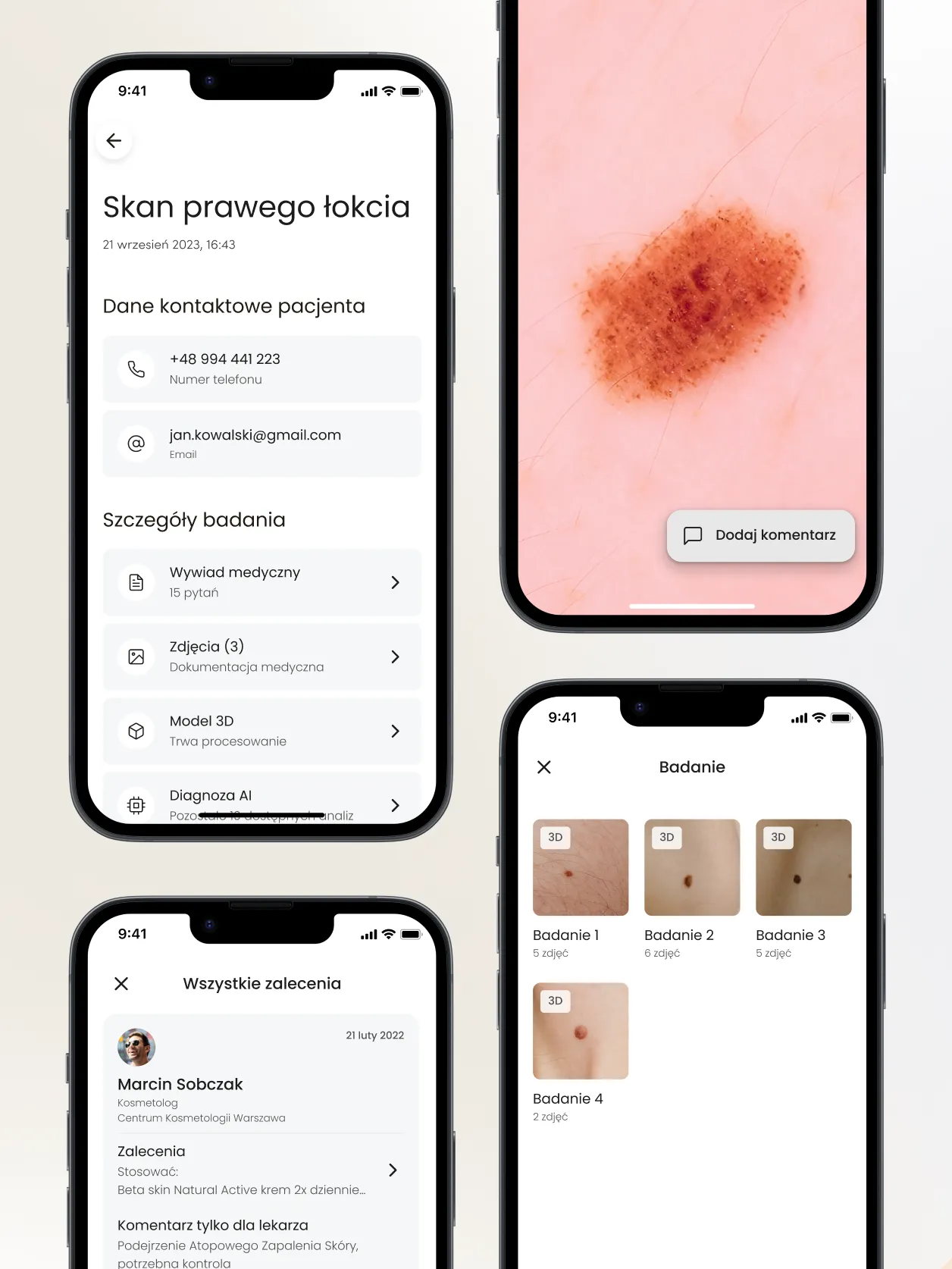
A specialist working with a dermatoscope has to handle both the device and the patient's records. After workshops with experts we designed a mobile app for the dermatoscope: a WiFi connection, a step-by-step examination and patient records in one place.
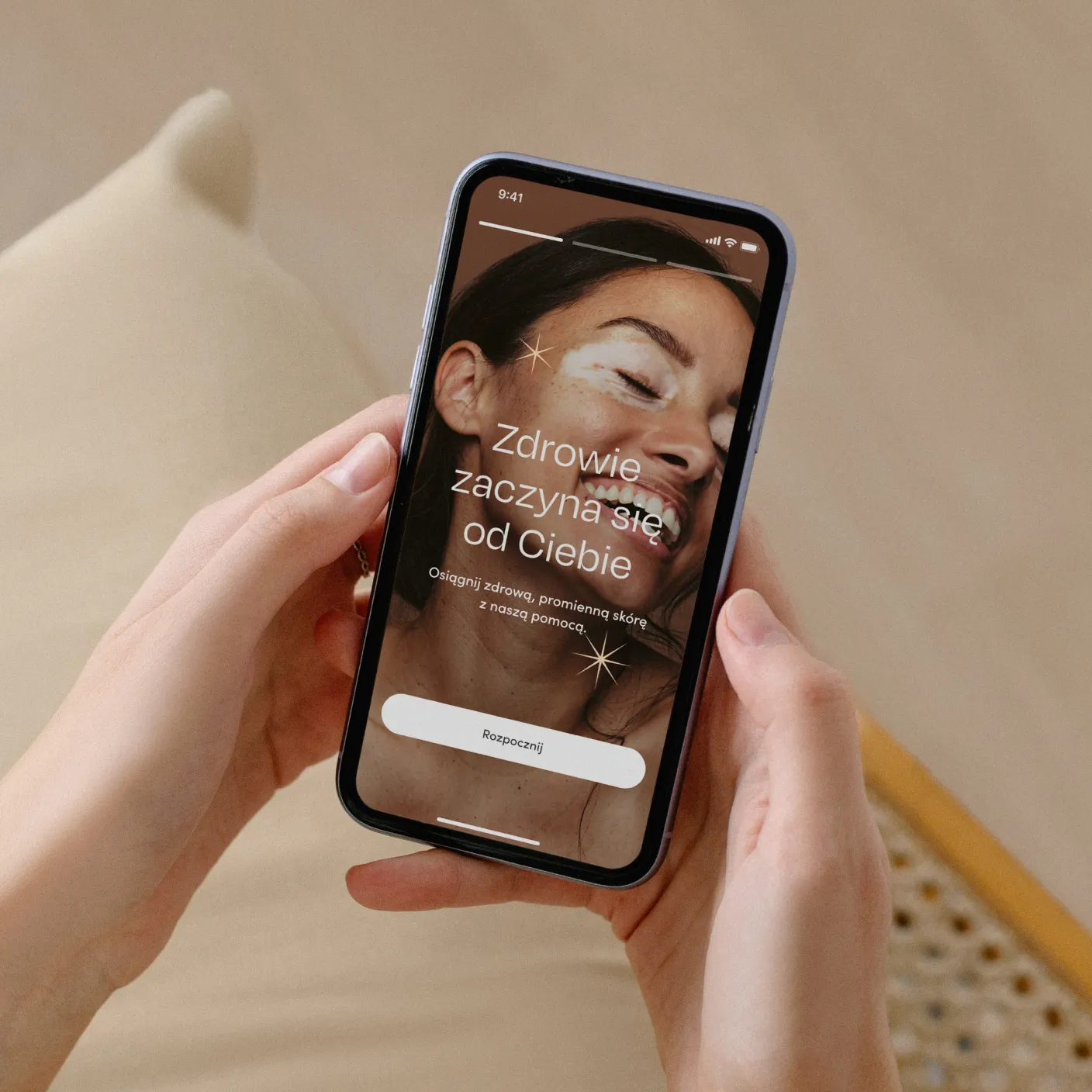
After workshops with experts, we produced wireframes, UI design and a design system for an app that works with a dermatoscope. Specialists connect to the device, carry out an examination following the instructions and save the photos to the patient's history.
Scope of work
- Industry
- Healthcare
- Product type
- Mobile app for a medical device
- Market
- Healthcare / dermatology and cosmetology
Technologies
- Product Design
Key facts
- WiFi connection to the dermatoscope and a troubleshooting knowledge base
- Battery, connection quality and device settings at a glance
- Step-by-step examination setup: settings, photo technique, saving to history
- Patient records with medical history, test results and treatment plan
- Appointment schedule and examination reminders
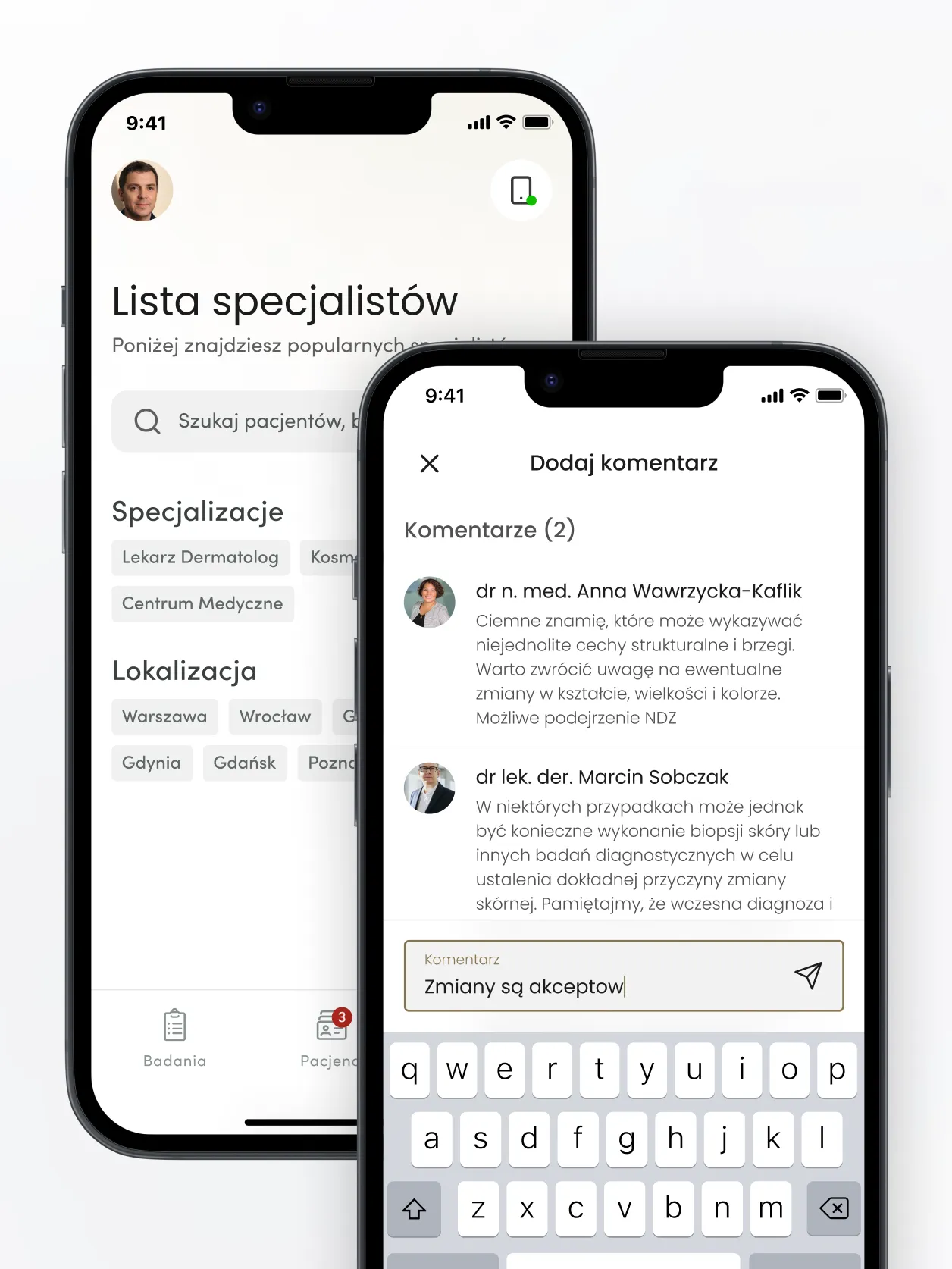
- Comments and conversations between doctor, cosmetologist and patient
From connecting to the dermatoscope to an examination saved in the patient record, in one app.
Goals
01
Simple device handling
Connect the app to the dermatoscope so specialists can handle settings and technical issues on their own.
02
Step-by-step examinations
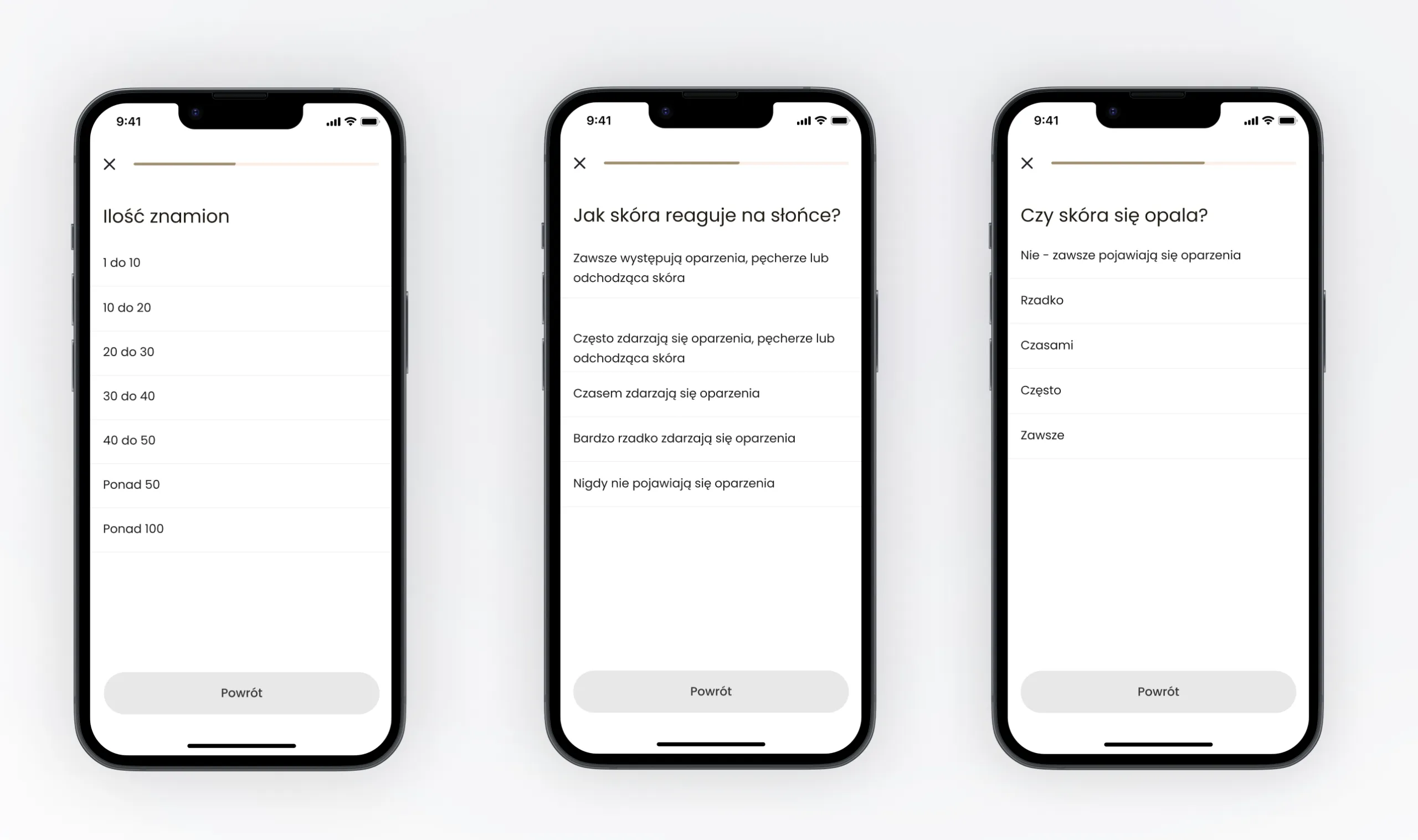
Guide users through the examination so the photo documentation is precise and well organised.
03
Continuity of care
Bring the patient's history, appointments and communication together in one app.
Process
What we delivered
An app that handles the device, the examination and the patient.
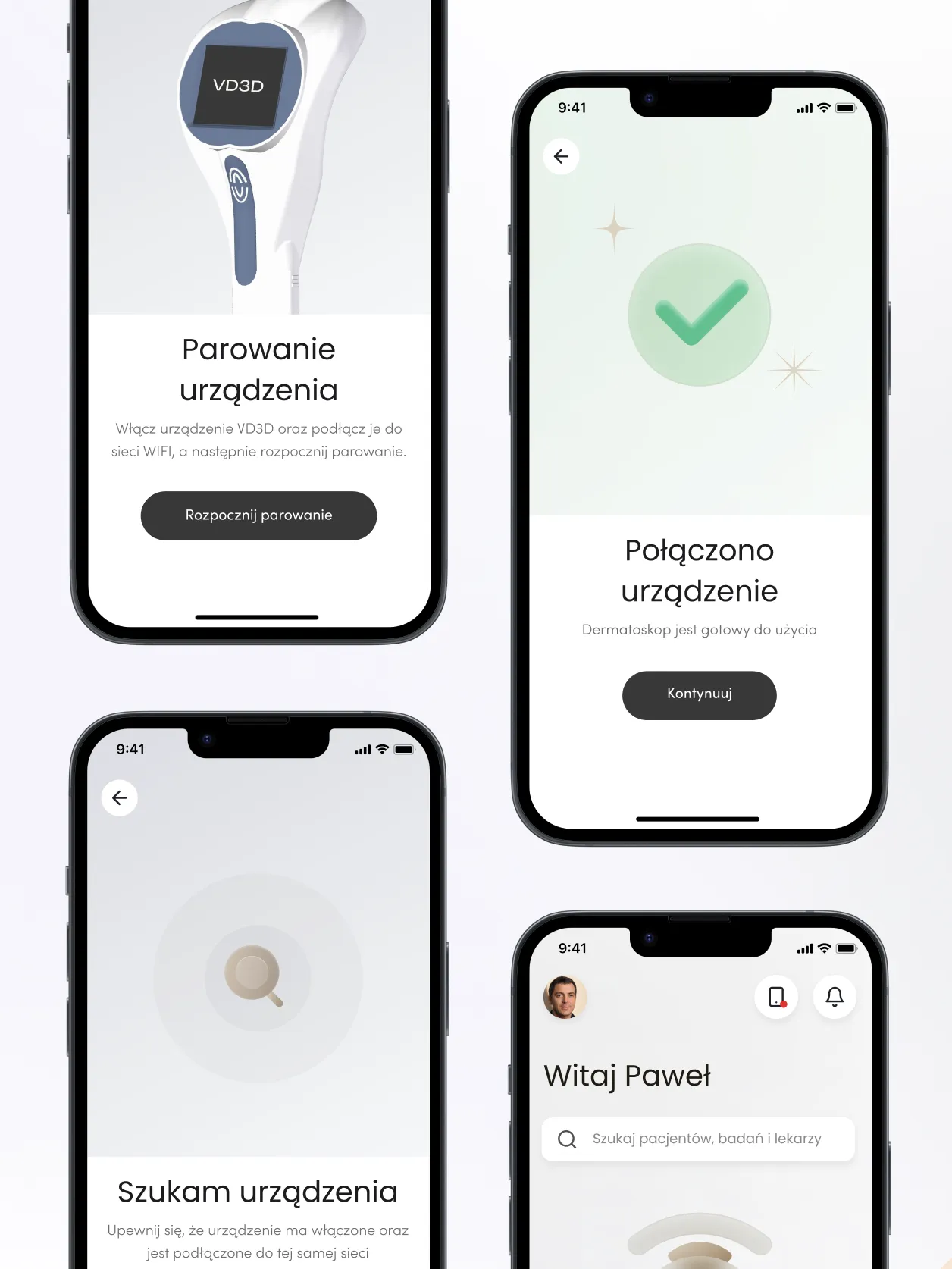
- Device connection - connecting to the dermatoscope over WiFi, connection status, a troubleshooting knowledge base with step-by-step instructions and automatic software updates.
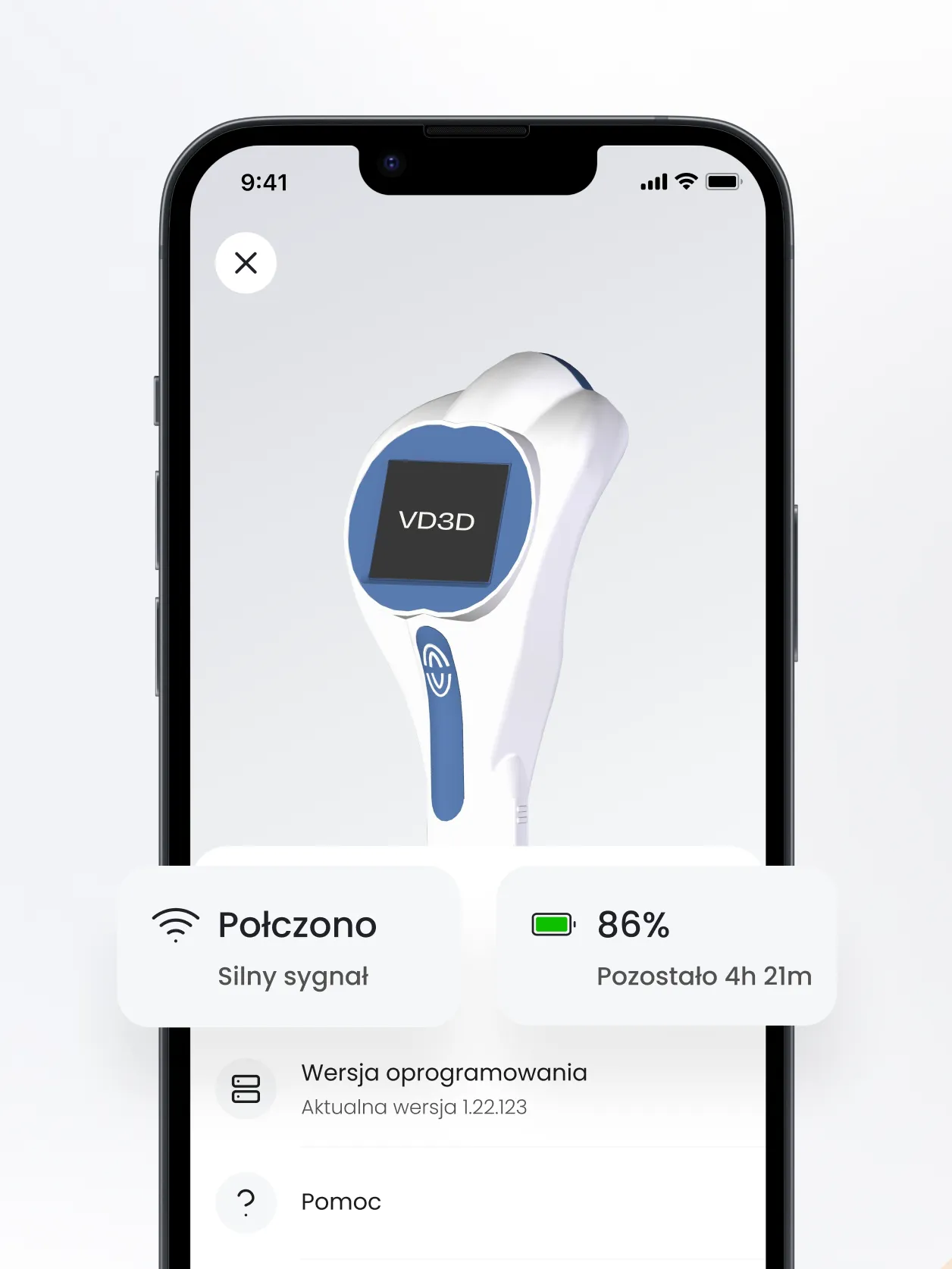
- Device management - viewing and changing dermatoscope settings, plus battery status and connection quality.
- Examination wizard - instructions on dermatoscope settings, photo techniques and saving photos to the patient's history.
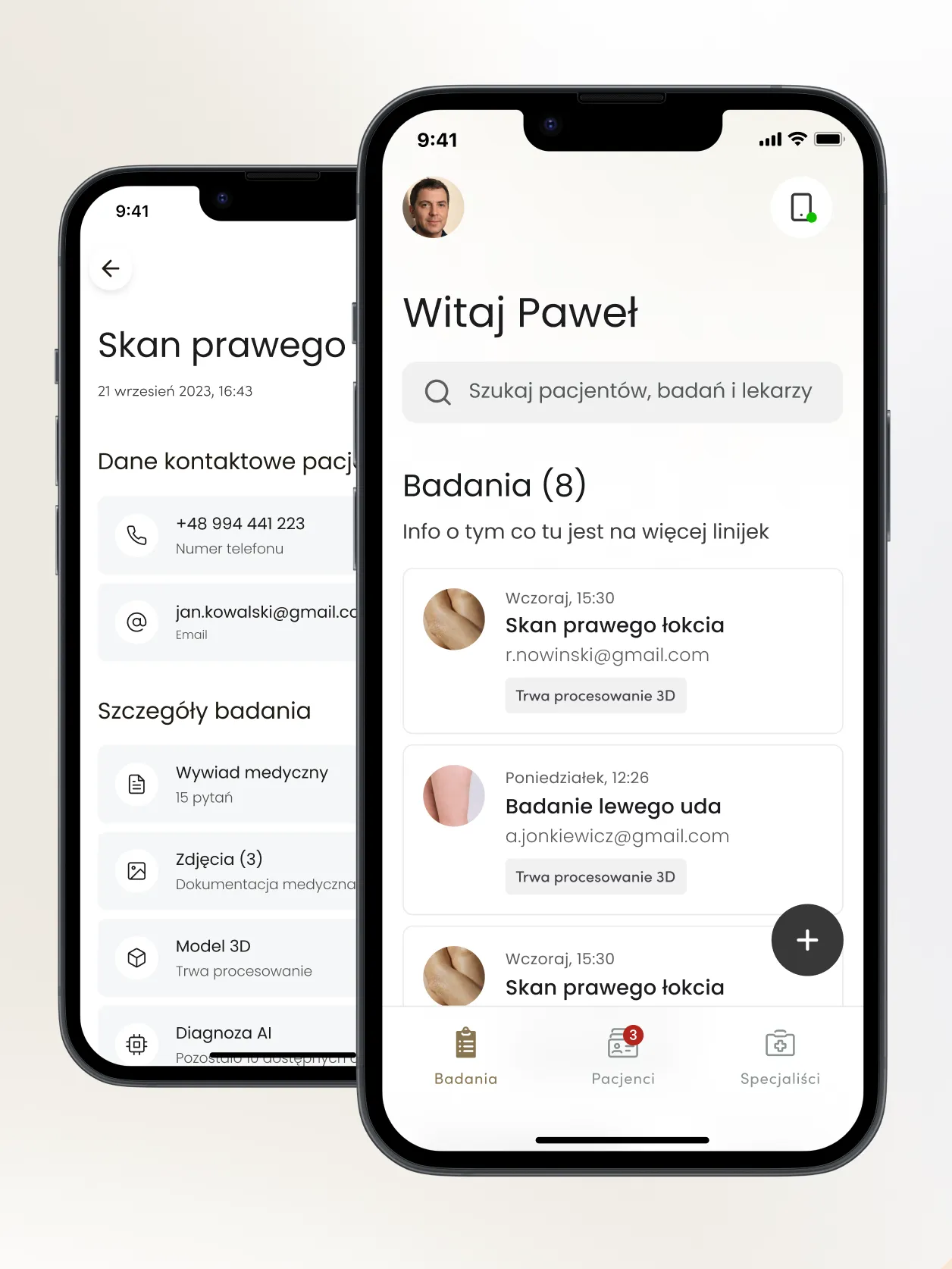
- Patients and examinations - patient records with medical history, test results and treatment plan, an appointment schedule and examination reminders.
- Communication - comments and conversations between doctor, cosmetologist and patient about diagnosis, treatment and recommendations.
- Design system - the components and visual principles the app was built on.
Challenge: a device and medical records in one app
Expectations in dermatological and cosmetic care keep rising. The task was to create a mobile app that would handle the dermatoscope and a specialist's day-to-day work with patients.
The app brings together two areas. The first is the device: it has to be connected, configured and its battery kept in check. The second is medical documentation: patient records, examinations, appointments and recommendations. Specialists shouldn't have to wait for support every time a technical issue comes up.
The solution had to be easy to use, even though it combines working with a device and medical documentation.
Solution: from connecting the dermatoscope to the patient record
The app guides specialists from connecting to the dermatoscope to an examination saved in the patient record.
It connects to the device over WiFi. The app shows connection and battery status, lets users change dermatoscope settings and, when something goes wrong, suggests step-by-step instructions from the troubleshooting knowledge base. The software updates automatically.
Examination and patient record
The examination wizard suggests dermatoscope settings and photo technique, and the photos go into the patient's medical history. The patient record brings together medical history, test results and the treatment plan. On top of that, there is an appointment schedule, examination reminders and comments in which the doctor, cosmetologist and patient discuss the diagnosis and recommendations.
Results: device, examinations and patient contact in one place
Dermatologists and cosmetologists manage the device, examinations and patient contact in one app.
Instructions and the troubleshooting knowledge base let users solve technical issues on their own. Step-by-step examinations keep documentation in order, and in-app comments make it quick to clear up questions and maintain continuity of care.
Written by Radosław Kołacki Published Updated
A device that needs an app?
We start with workshops with the experts who will be using it.

Blog
Learn from our experts
Practical articles on researching, designing and delivering digital products.
 Mobile apps
Custom mobile app: stages from diagnosis to development
A custom mobile app project has four phases: diagnosis, design, development and optimisation. We describe the decision made in each and what remains afterwards.
12 Jan 2025 · Radosław Kołacki
Read more
Mobile apps
Custom mobile app: stages from diagnosis to development
A custom mobile app project has four phases: diagnosis, design, development and optimisation. We describe the decision made in each and what remains afterwards.
12 Jan 2025 · Radosław Kołacki
Read more
-
 Mobile apps
How much does it cost to build a mobile app?
17 Jul 2024 · Radosław Kołacki
Mobile apps
How much does it cost to build a mobile app?
17 Jul 2024 · Radosław Kołacki
-
 Business
Event Storming: what it is and how to run a workshop
15 Jul 2024 · Radosław Kołacki
Business
Event Storming: what it is and how to run a workshop
15 Jul 2024 · Radosław Kołacki
-
Business and UX metrics
Engagement rate in a SaaS product: how to calculate it, with 2 examples
13 Dec 2023 · Radosław Kołacki