Case study
A marketplace mobile app for children's goods
Parents buy things children quickly grow out of, and then want to sell or swap them. We designed a marketplace mobile app that connects buyers and sellers: from workshops and wireframes to an interactive hi-fi prototype on which the concept was tested.

We designed a marketplace that connects parents buying and selling children's items. The app includes personalised search, seller chat, simple listing creation and bidding, plus a dedicated set of icons and illustrations.
Scope of work
- Industry
- E-commerce and retail
- Product type
- Mobile marketplace app
- Market
- Online retail / children's items
Technologies
- Product Design
Key facts
- Workshops, wireframes, product design and an interactive hi-fi prototype
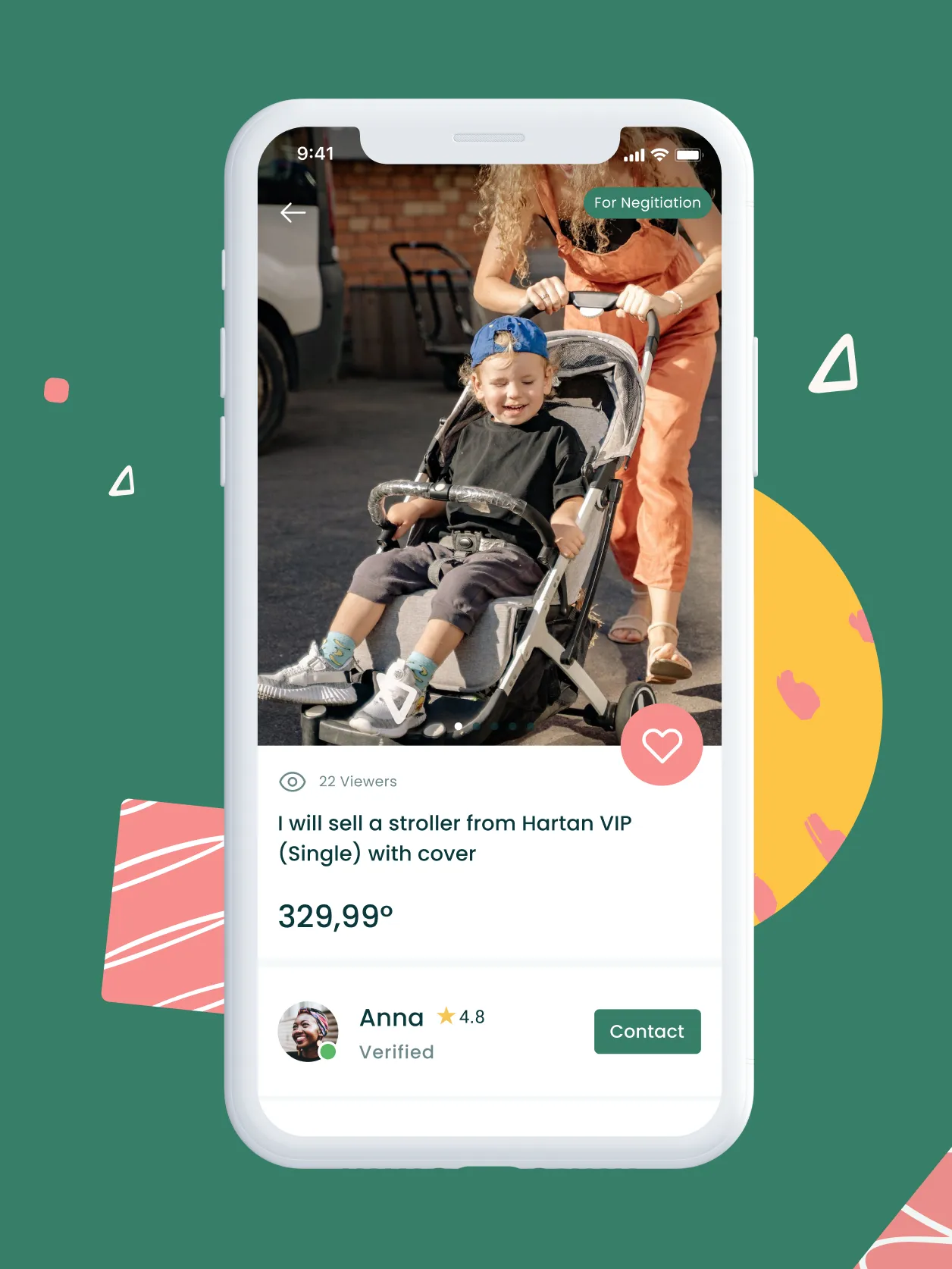
- Product page with bidding, follower count and seller rating
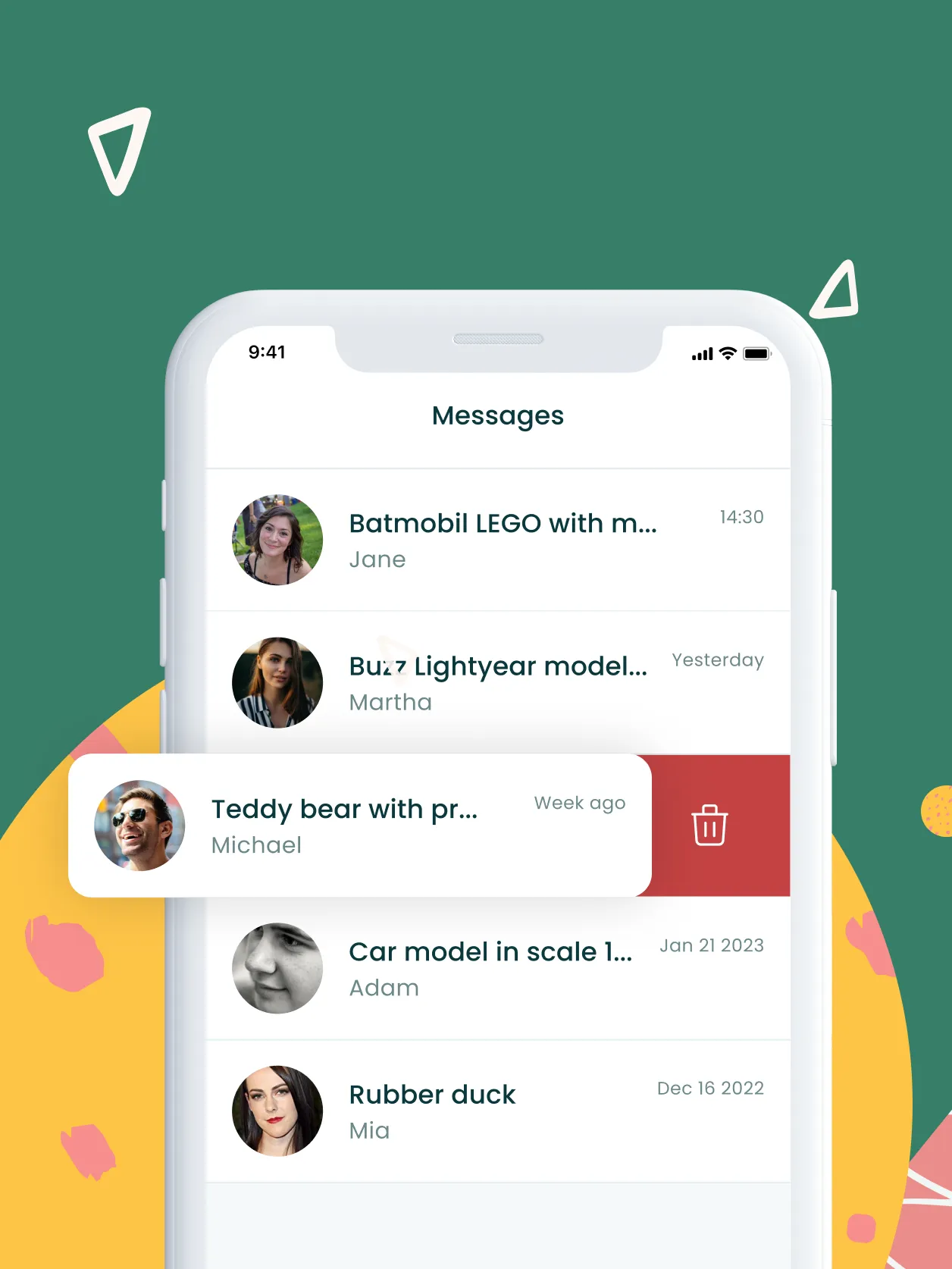
- Built-in chat between buyer and seller
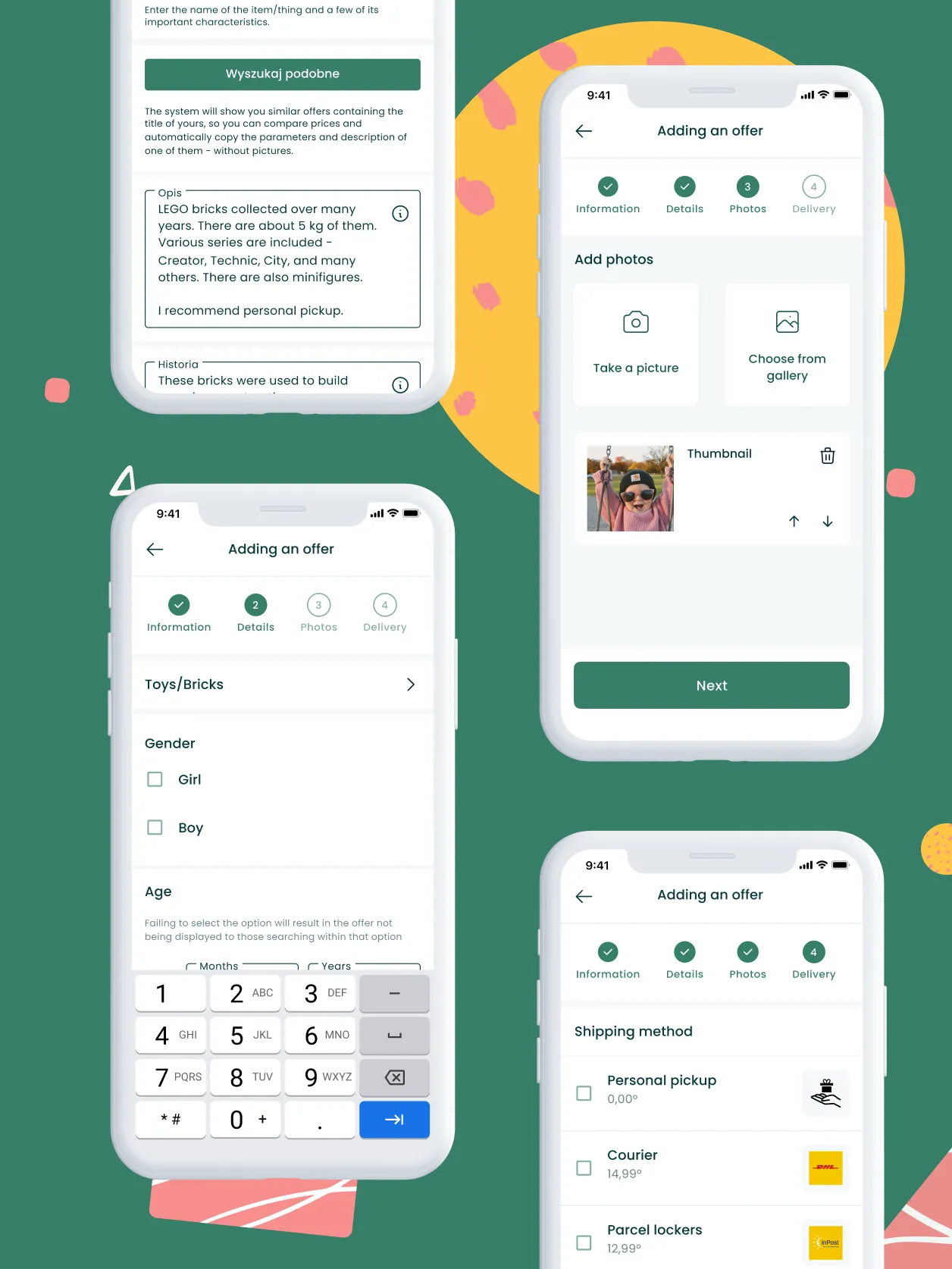
- Add a listing with photos, description and price directly in the app
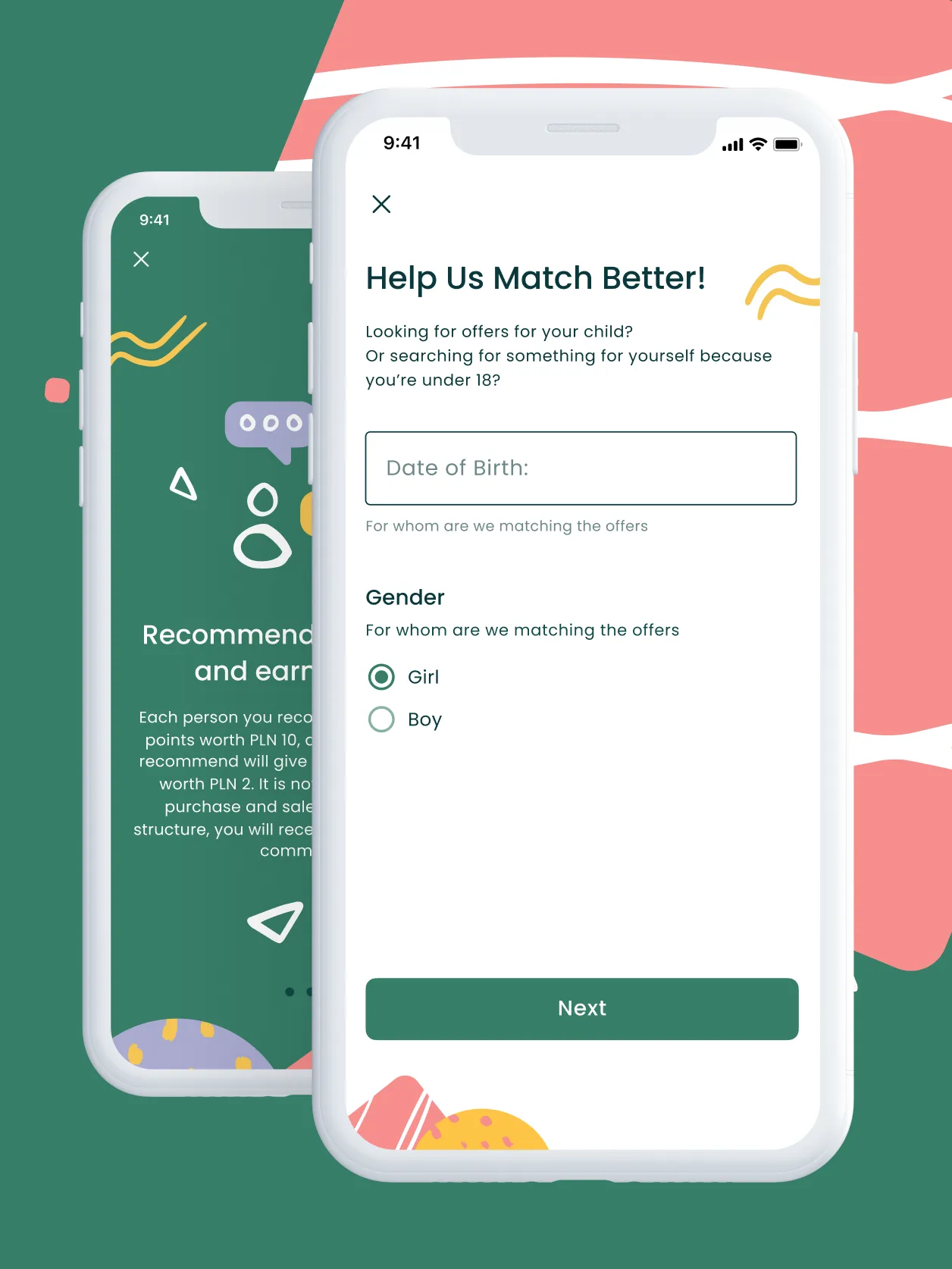
- Search tailored to the child's age and gender
- Dedicated set of icons and illustrations
We designed a place where parents safely buy, sell and swap children's items.
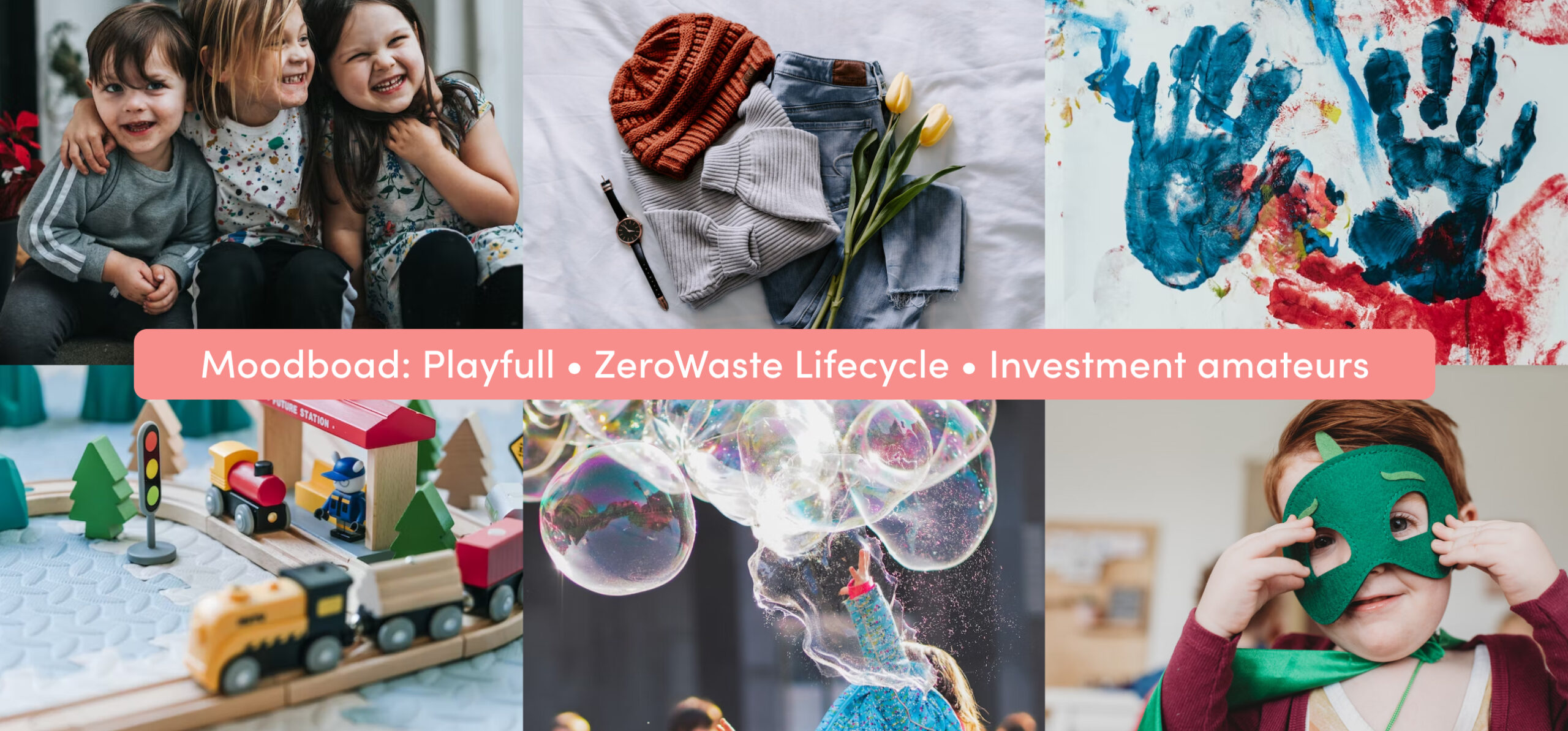
Goals
01
Connect buyers and sellers
Give parents one place to buy, sell and swap items for children.
02
Safer purchases
Show seller details and reviews so the buyer knows who they are dealing with.
03
Faster path to the right listing
Shorten the path to the product with search tailored to a specific child's needs.
Process
What we delivered
A marketplace app design: from structure and key-feature screens to a clickable prototype.
- Product page - photos, description, price, follower count and bidding, plus seller details with a rating.
- Chat - quick contact with the seller and follow-up questions about the product without leaving the app.
- Listing creation - photos, description and price added directly in the mobile app.
- Personalised search - results matched to preferences such as the child's age and gender.
- Icons and illustrations - a dedicated graphic set designed for this app.
- Hi-fi prototype - an interactive prototype we used to test the concept.
Challenge: safe trading between parents
Parents look for children's items that kids outgrow quickly. Some of those items they later want to sell or swap.
The app had to bring buyers and sellers together in one environment: simple, fast and tailored to a specific family. With private peer-to-peer trade, a clear sense of safety also mattered, including transparent information about who is selling.
Shopping had to be simpler and faster, and still safe for both sides of the transaction.
Solution: product page, chat and search matched to the child
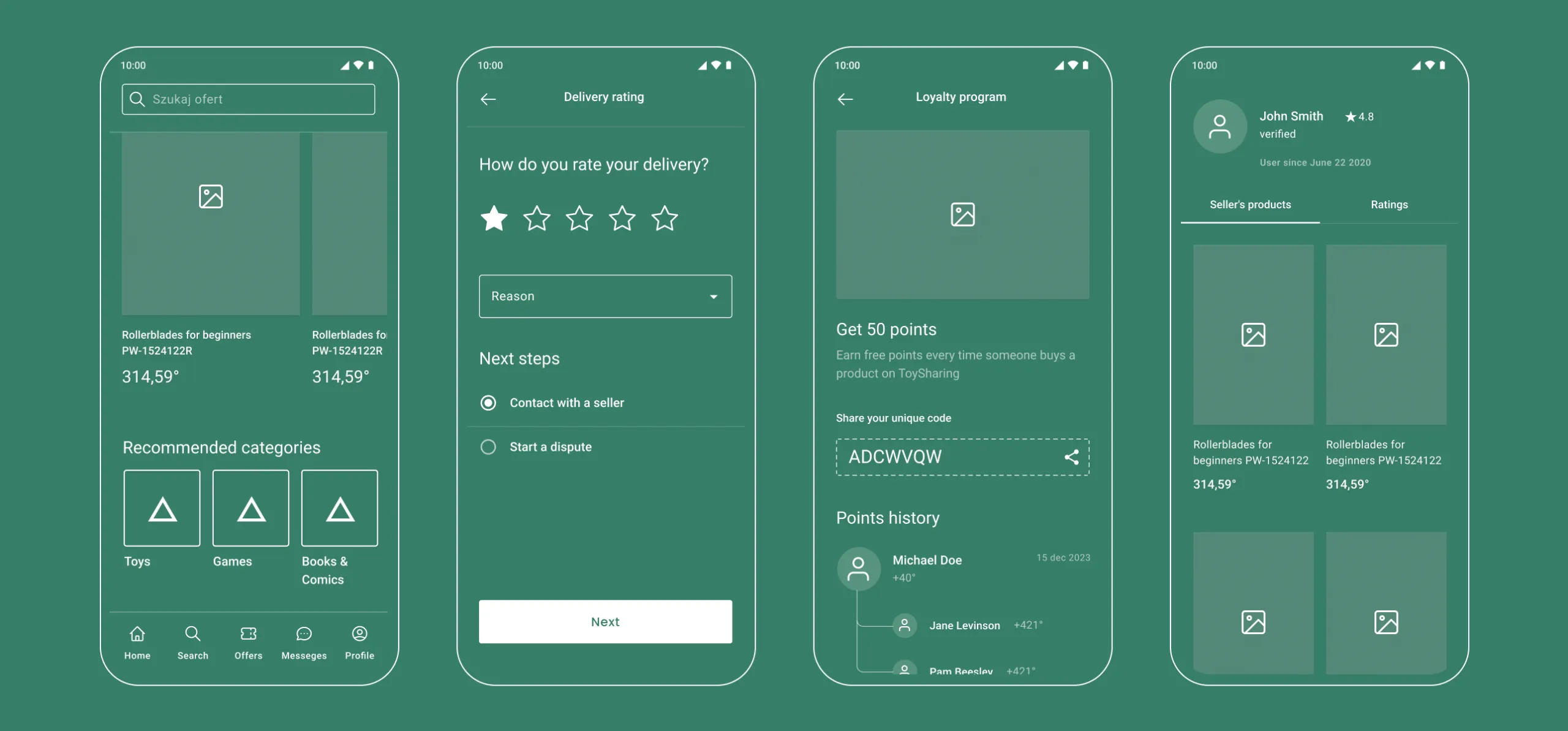
We started with wireframes. The app structure was ready before visual design began, so we could first make sure key features were easy to reach.
The product page gathers everything a buyer needs in one view: photos, description, price, follower count and bidding. Seller details and rating are prominent, because trust depends on them. Chat lets buyers ask for details without leaving the app, and creating a listing comes down to photos, description and price.
Search for a specific child
A parent can narrow results by the child's age and gender. That way they skip listings that do not apply and reach the right one faster.
Results: an app design and a hi-fi prototype
The client received a complete app design and an interactive hi-fi prototype where the concept was tested and validated.
Dedicated icons and illustrations shape the character of the app. Every graphic element was made with parents in mind and with the purpose of the app.

Written by Radosław Kołacki Published Updated
A marketplace in the plans? Let's start with a prototype.
In a workshop we agree which features matter most for the first version.


Blog
Learn from our experts
Practical articles on researching, designing and delivering digital products.
 Mobile apps
Custom mobile app: stages from diagnosis to development
A custom mobile app project has four phases: diagnosis, design, development and optimisation. We describe the decision made in each and what remains afterwards.
12 Jan 2025 · Radosław Kołacki
Read more
Mobile apps
Custom mobile app: stages from diagnosis to development
A custom mobile app project has four phases: diagnosis, design, development and optimisation. We describe the decision made in each and what remains afterwards.
12 Jan 2025 · Radosław Kołacki
Read more
-
 Mobile apps
How much does it cost to build a mobile app?
17 Jul 2024 · Radosław Kołacki
Mobile apps
How much does it cost to build a mobile app?
17 Jul 2024 · Radosław Kołacki
-
 Business
Event Storming: what it is and how to run a workshop
15 Jul 2024 · Radosław Kołacki
Business
Event Storming: what it is and how to run a workshop
15 Jul 2024 · Radosław Kołacki
-
Business and UX metrics
Engagement rate in a SaaS product: how to calculate it, with 2 examples
13 Dec 2023 · Radosław Kołacki